

What is Microsoft Azure DocumentDB
Microsoft Azure DocumentDB is a fully managed, scalable, queryable, schema-free NoSQL document database service. DocumentDB includes built-in high availability, offers predictable performance, and supports elastic scale-out.
DocumentDB features
- Rich SQL queries over schema-free JSON storage.
- Server side execution of application defined JavaScript as stored procedures and triggers.
- JavaScript language integration for multi-document transactions.
- Standard JSON storage with RESTful HTTP interface.
Now let's get started with the following five steps:
Step 1: Sign in to the online Microsoft Azure Portal.
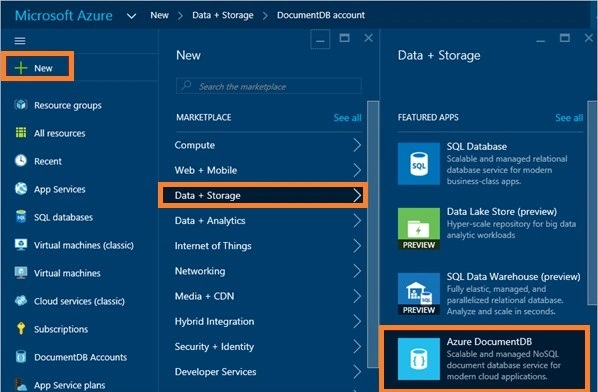
Step 2: In the Jumpbar, click New, then click Data + Storage, and then Azure DocumentDB.
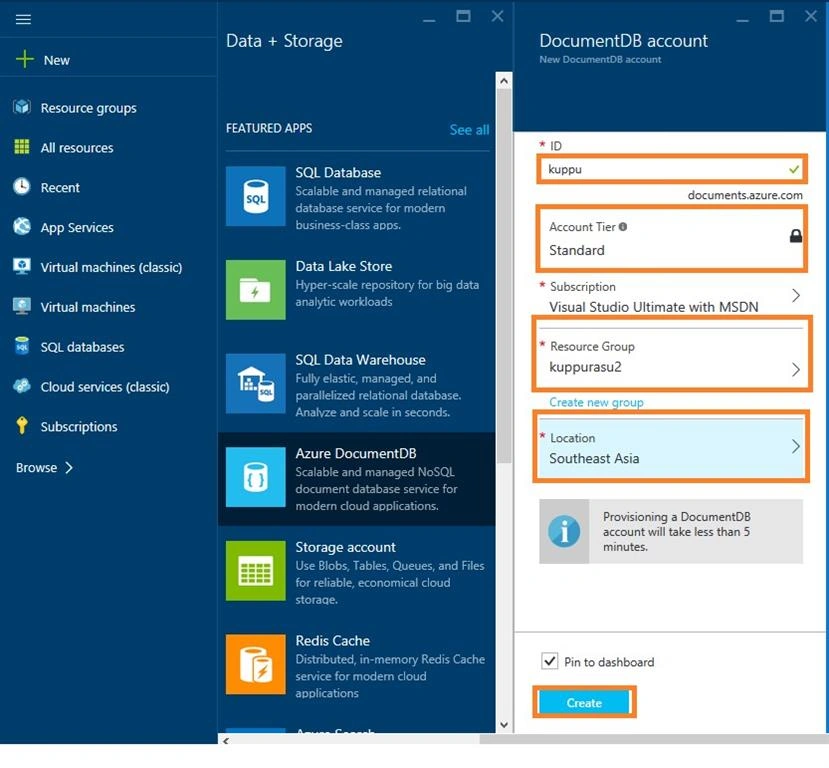
Step 3: In the New DocumentDB account blade, specify the desired configuration for the DocumentDB account (ID, Account Tier, Resource Group & Location). Click Create button at the bottom of the screen to create the new database.
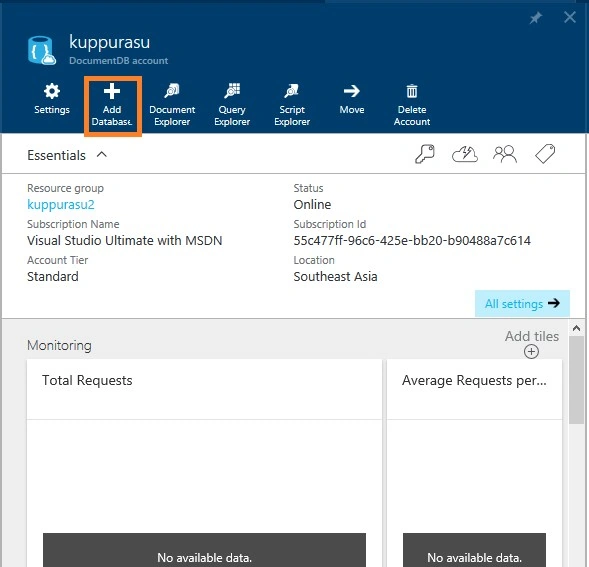
Step 4: In the DocumentDB account blade, click Add Database.
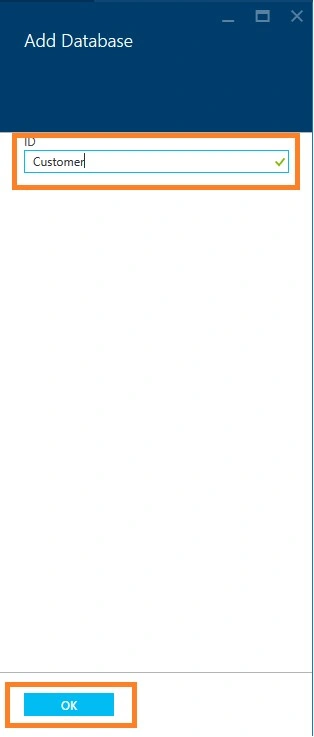
Step 5: In the Add Database blade, enter the ID for your new database. When the name is validated, a green check mark appears in the ID box and click OK at the bottom of the screen to create the new database.
Now the new database appears in the Databases lens on the DocumentDB Account blade.
Conclusion
You can use DocumentDB to store flexible datasets that require query retrieval and transactional processing.
Vignesh ManiPosted Feb 11, 2016, 4:44 PM
Nice one
Humayun Kabir MamunPosted Feb 6, 2016, 11:00 PM
Nice...
Jaipal ReddyPosted Feb 6, 2016, 4:24 AM
Nice
Santhakumar MunuswamyPosted Feb 5, 2016, 3:40 PM
Thanks for your sharing
Abhijit KakadePosted Feb 5, 2016, 4:41 AM
Thanks Nagarj.. Nice and useful Article.
Raja TPosted Feb 4, 2016, 10:48 PM
Nice,Thanks for sharing
Vivek KumarPosted Feb 4, 2016, 2:35 PM
Nice article
Mohammed IbrahimPosted Feb 4, 2016, 1:45 PM
nice
Debasis SahaPosted Feb 4, 2016, 9:54 AM
Nice Share..
Sibeesh VenuPosted Feb 4, 2016, 8:28 AM
Nice Share