

In this article we will be seeing how to resolve "Access denied by Business Data
Connectivity". In SharePoint 2010 when you create an External List using either
SharePoint Designer 2010 or Visual Studio 2010, you may encounter "Access denied
by Business Data Connectivity" error when trying to access the External List BCS
List.
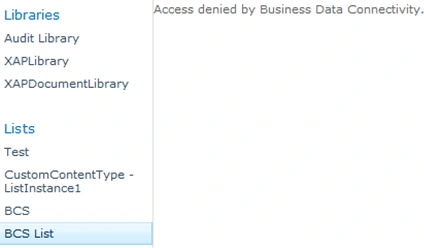
The reason is because External List requires External Content Type and External
Content Type are using Business Data Connectivity services proxy to access
external Data Source. With the same principle of BDC in MOSS 2007-users are
required to have BDC object permission before they can use it.
Configure Business Data Connectivity access rights:
I. Go to Central Administration -> Application Management -> Manage Service
Applications.
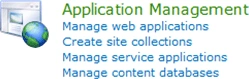
ii. Click on Business Data Connectivity Service.

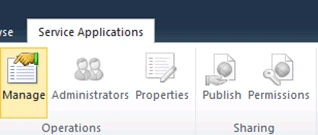
iii. In the top Ribbon click on Manage.
iv. In Service Application Information check the corresponding External Content
Type that you have used for creating the external list.
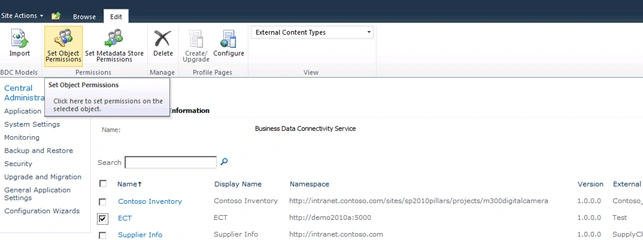
v. And in the top Ribbon click the Site Object Permissions.
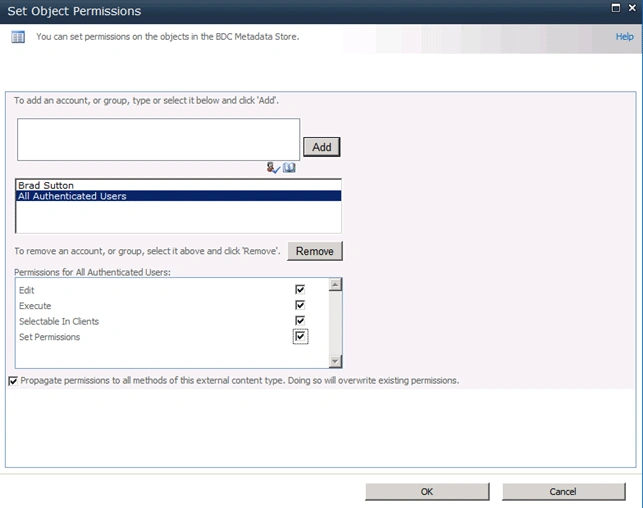
vi. Site Object Permissions wizard will pop up add the account (Group or Users)
and assign the permissions.
vii. Once you have configured Business Data Connectivity access rights navigate
to the site and check the External List.
Access denied by Business Data Connectivity
Join the conversation! Your thoughts help the community grow.
Sign in to leave a comment
It is the same account you read, post and publish with — and you will come straight back to this page.
VIjay SinghPosted Jul 4, 2011, 9:07 AM
My Question is that when we are going to add external Content type in Sharepoint Designer, we got this error. So we have to assign the permission to user. But in BDC we required external Content type, How can it possible because we dont have external Content type, where I can set the permissions. How do I handel this situation?
VIjay SinghPosted Jul 4, 2011, 9:04 AM
hi