

An accordion menu is a collection of multiple, stacked panels. Only one of them is visible and another can be opened by clicking the header of a closed one using a smooth transition of the heights of the content area of the panels. It is like having several CollapsiblePanels where only one can be expanded at a time. The Accordion is implemented as a web control that contains AccordionPane web controls. Each AccordionPane control has a template for its Header and its Content. We keep track of the selected pane so it stays visible across postbacks.
The Aspx Code for Accordion is:
<%@ Page Language="C#" AutoEventWireup="true" CodeFile="Default.aspx.cs" Inherits="_Default" %>
<!DOCTYPE html PUBLIC "-//W3C//DTD XHTML 1.0 Transitional//EN" "http://www.w3.org/TR/xhtml1/DTD/xhtml1-transitional.dtd">
<html xmlns="http://www.w3.org/1999/xhtml">
<head id="Head1" runat="server">
<title>AJAX CONTROL: Accordion Pane Show</title>
<link href="MyStyleSheet.css" rel="stylesheet" type="text/css" />
</head>
<body>
<form id="form1" runat="server">
<table cellpadding="0" cellspacing="0" width="50%" align="center">
<tr>
<td>
<ajaxtoolkit:toolkitscriptmanager id="ScriptManager1" runat="server" />
<div>
<ajaxtoolkit:accordion id="Accordion1" runat="server" fadetransitions="True" selectedindex="0"
transitionduration="300" headercssclass="accordionHeader" contentcssclass="accordionContent">
<Panes>
<ajaxToolkit:AccordionPane ID="AccordionPane1" runat="server">
<Header>
AJAX FIRST PANE</Header>
<Content>
AJAX FIRST PANE AJAX FIRST PANE AJAX FIRST PANE AJAX FIRST PANE
</Content>
</ajaxToolkit:AccordionPane>
<ajaxToolkit:AccordionPane ID="AccordionPane2" runat="server">
<Header>
AJAX SECOND PANE
</Header>
<Content>
AJAX SECOND PANE AJAX SECOND PANE AJAX SECOND PANE AJAX SECOND PANE
</Content>
</ajaxToolkit:AccordionPane>
<ajaxToolkit:AccordionPane ID="AccordionPane3" runat="server">
<Header>
AJAX THIRD PANE
</Header>
<Content>
AJAX THIRD PANE AJAX THIRD PANE AJAX THIRD PANE AJAX THIRD PANE
</Content>
</ajaxToolkit:AccordionPane>
<ajaxToolkit:AccordionPane ID="AccordionPane4" runat="server">
<Header>
AJAX FOURTH PANE
</Header>
<Content>
AJAX FOURTH PANE AJAX FOURTH PANE AJAX FOURTH PANE AJAX FOURTH PANE
</Content>
</ajaxToolkit:AccordionPane>
</Panes>
</ajaxtoolkit:accordion>
</div>
</td>
</tr>
</table>
</form>
</body>
</html>
The Running Mode of this is: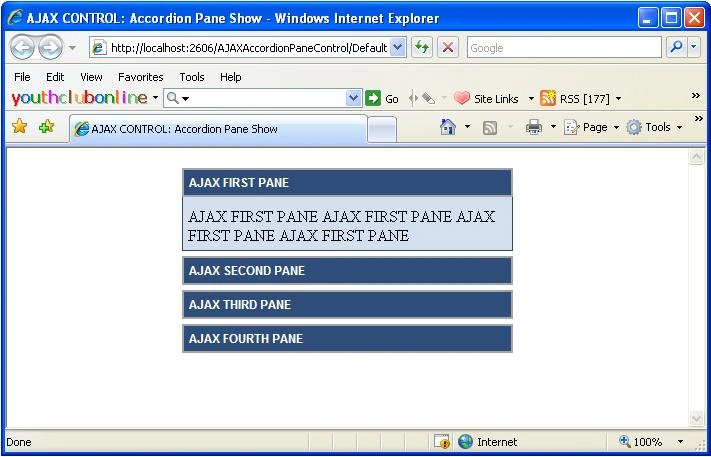
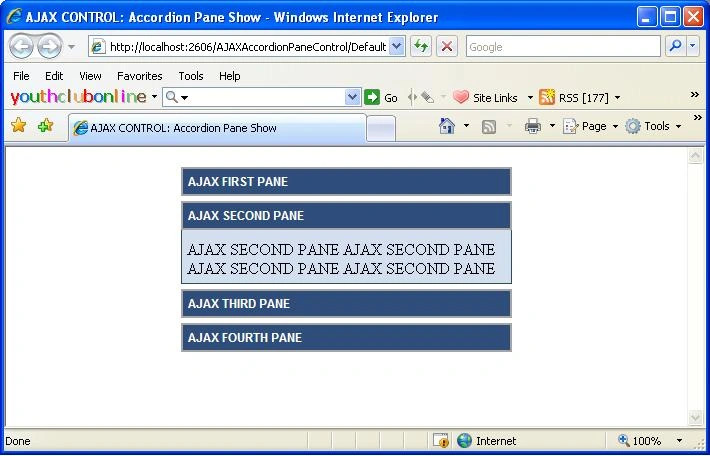
Finally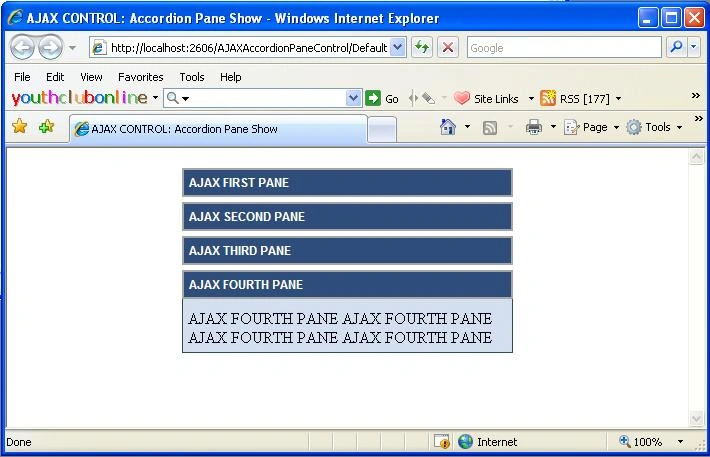
muhammed cakmakPosted Nov 19, 2010, 1:17 PM
Thank u very very much. This is the best i have ever want and seem.. Congratulations!