

Introduction
Azure VM migration between the subscriptions is quite easy. Some of the organizations will have dedicated subscriptions for testing\POC of new applications. Once these applications are validated successfully, the IT administrators might need to move these VM & dependent Azure resources to the production subscription. The Azure portal provides a very convenient option to migrate the resources between different subscriptions. The following steps help with the easy steps to migrate the resources from one subscription to another.
Migration
While migrating the application infrastructure (which includes multiple VMs and Azure resources), make sure that all the resources should be available in the same Resource group and same region.
Step1
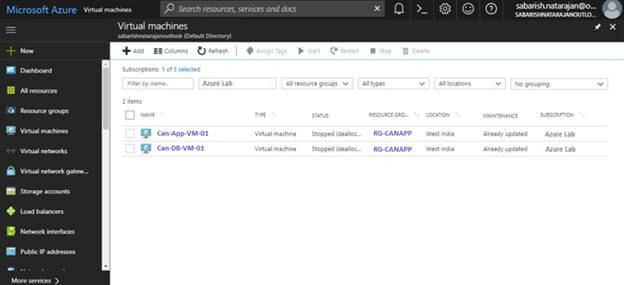
- Log in to the Azure Portal.
- Search and Filter the VM which needs to be migrated to different subscriptions.
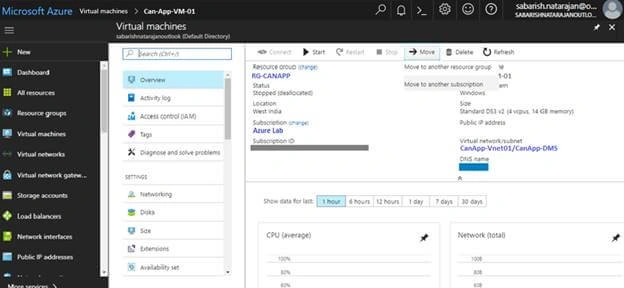
- On Overview page of the VM, select Move >> Move to another subscription.
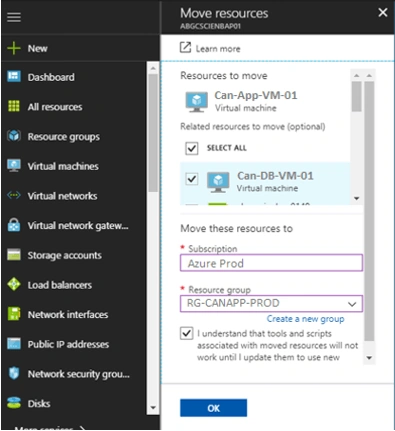
- In Move Blade, Click “Select All” to migrate all the dependent resources of the VM which needs to be migrated. The dependent resources of the VM which is available in the same resource group of the VM can only be selected.
- Select the Target Subscription & Resource Group.
- Note that the new Resource Group can also be created from this blade.
- Click OK.
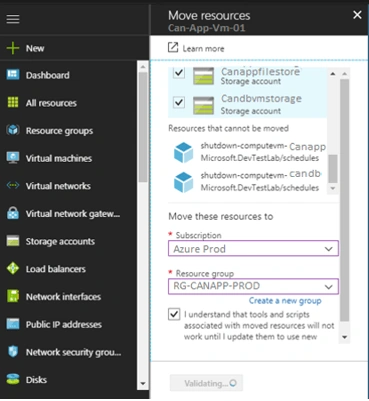
- Initially, Azure will validate the selected resources and configuration to verify whether the migration feasibility.
- If any of the dependent resources are not present in the resource group in which the VM is available, the validation will fail. In this case, the dependent resource should be moved to the same resource group as VM and the move has to be reinitiated.
Click here for the steps to move the resources between the resource groups.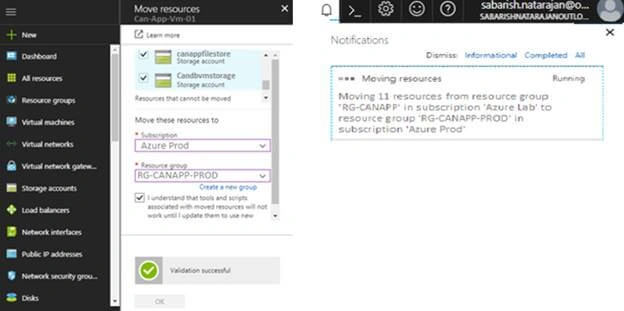
- On Successful validation, the movement of the VM and dependent resources will be initiated.
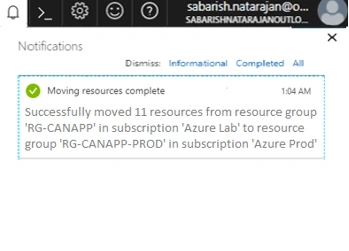
- Depending on the size of the resource, the move request will take time to complete.
Summary
In this article, I have explained about moving the Azure resources between the subscriptions.
Below is an important activity to be considered for migrating the VM and its dependent resources between the subscription through the above-explained method.
The VM and dependent resources are migrated with the same configuration. Hence the VM will still be aligned to the Virtual Network as of the previous subscription. Hence initially these set of migrated resources will not have any communication with the production subscription.
The following are the possible ways to connect two different VNets. Based on the existing network infrastructure, the desired method shall be followed.
- VNet-to-VNet
- Site-to-Site (IP Sec)
- VNet peering
Click here for more information about enabling connection between VNets.
Join the conversation! Your thoughts help the community grow.