

Introduction
You can download the Preview Release of Visual Studio 2013 from the following link:
http://www.microsoft.com/visualstudio/eng/products/2013-editions#product-2013-summary
Visual Studio 2013 came up with .Net Framework 4.5.1 that focused on key areas, like developer productivity, application performance and continuous innovation.
We can get the complete info on .Net Framework 4.5.1 through the link:
http://blogs.msdn.com/b/dotnet/archive/2013/06/26/announcing-the-net-framework-4-5-1-preview.aspx
Now let's step into the features.
Features at a Glance
- Synchronize Settings
- Change in web Templates
- Peak Definition(Alt+F12)
- Scaffolding
- Browser Link
- Code lens Indicators
- Enhanced Scrollbar
- HTML 5 Editor Enhancements
- Themes
- Java Script Enhancements
- Auto Brace Complete
- Move Line Up and down(Alt+ and Alt+)
- Code Map Window
- Feedback and Notifications
- UI icons Enhancement
Feature 1: Synchronize settings (Authentication)
At startup you can find a button to sign in for the first time, you will get the following dialog screen prompting for sign in: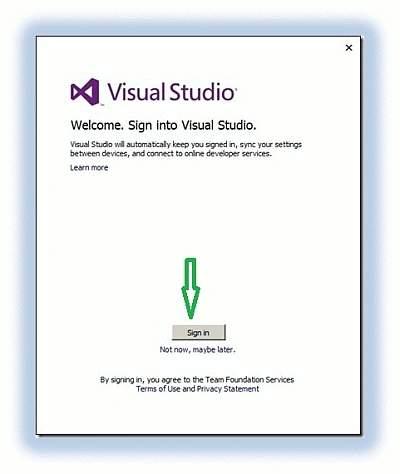
Figure 1: Start up Screen
You can use your Microsoft I'd like MSDN, Hotmail, and live.com to sign in. This is a cool feature where your settings are synchronized with your email id. The next time you sign in on a different machine you can find the settings you have applied. It makes your work comfortable wherever you use Visual Studio.
Feature 2: Change in Web Templates
When you create a new project you will notice changes in the templates.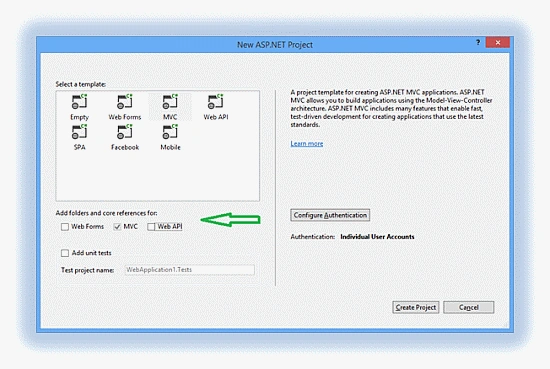
Figure 2: Web Templates
You will find an option for a Core Reference for Web Forms, MVC and Web API all together in one template. You can also add a unit tests project with your web application and configure authentication.
Feature 3: Peak Definition
Another cool feature is Peak Definition that allows you to get an inline read-only view that contains the actual structure of the code without migrating away from the file.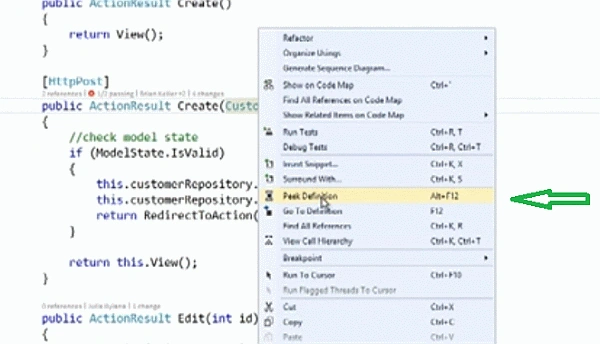
Figure 3: Peak Definition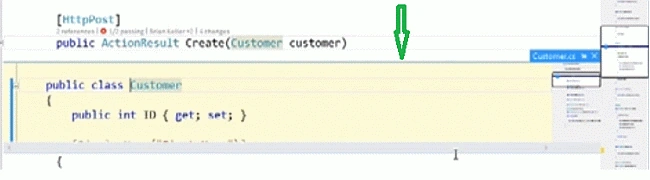
Figure 3a: Peak Definition inline preview
Feature 4: Scaffolding
Now we can add scaffolding to all types of projects (including Web API/MVC/Web Forms) as shown in Figure 4.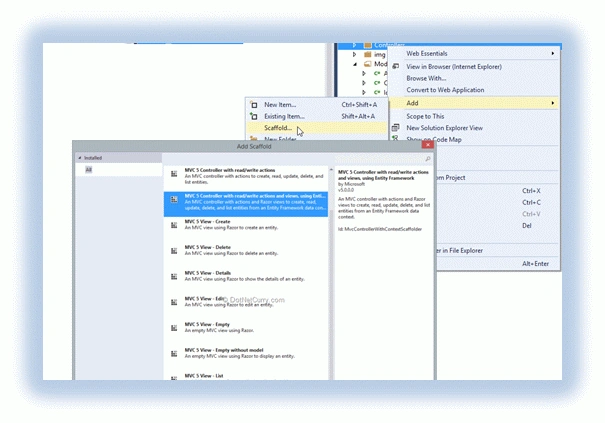
Figure 4: Scaffolding
Feature 5: Browser Link near Start
We can find an icon near the start command as shown in Figure 5.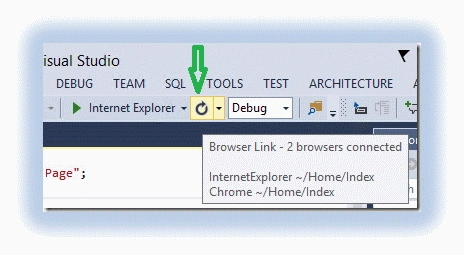
Figure 5: Browser Link
It provides a two-way link between Visual Studio and the browsers. We can edit the content in debug mode and when we click on the browser link it refreshes the browser with the latest content.
Feature 6: Code lens Indicators
The Code Lens Indicators shows all the references of the specified method and change sets and the tests that have been passed or failed and also the name of the developer or author that that last made changes, as in the following.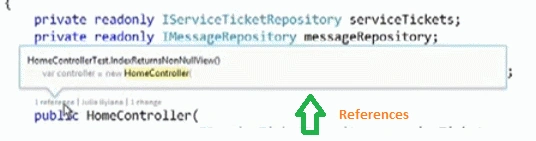
Figure 6: References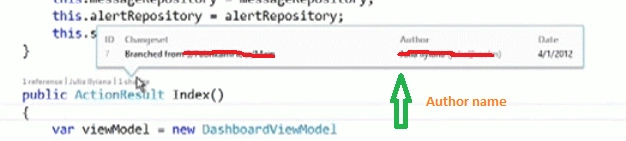
Figure 6a: Author Name
Figure 6b: Tests Passed/Failed
Feature 7: Enhanced Scrollbar
Another new cool feature is Scrollbar Enhancement. Now we can see a right-click option menu on the scroll bar and when we click on the scroll bar options we can find a bunch of options. Here we can enable and disable various annotations and one of the main feature here is the show carat position.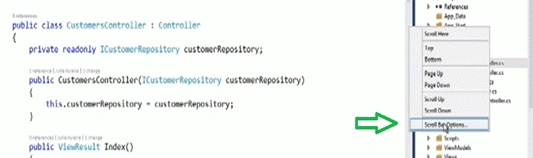
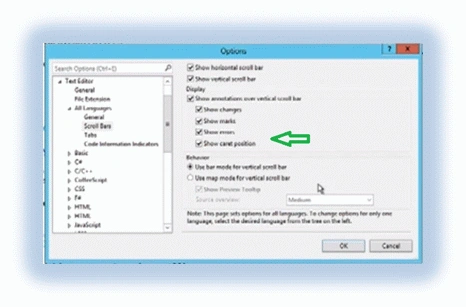
Figure 7: Scroll bar
Here we can see the carat position in action. It points (with a tiny bar) at where you are working on and when we scroll down for a piece of information we can easily return to where we were working, as in the following.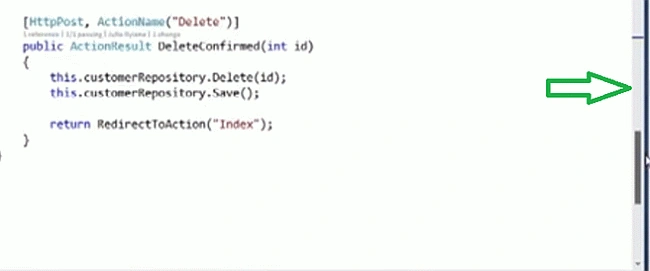
Figure 8: Carat Position
Another option is the Map Mode With Preview Tooltip. When we enable this option the scroll bar becomes little bit wider that gives the visual sense of the code file and when we click there we can watch the preview as shown in Figure 8c.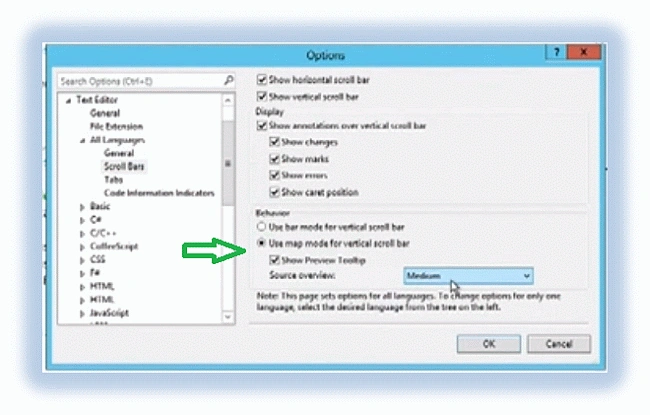
Figure 8b: Map Mode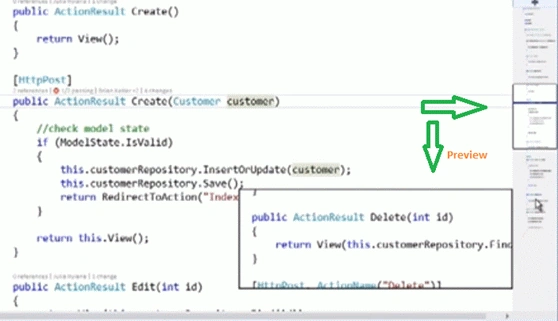
Figure 8c: Map Mode preview
Conclusion
The preview of the remaining features can be found in my next article, Part 2 Cool Features in Visual Studio 2013. Even though I have covered all the main features I might have missed some of the features Please let me know through your comments. Thanks for having a look at my article with this new features. I hope we can have a better coding experience.
Happy Coding
Rahul Kumar SaxenaPosted Jan 6, 2014, 1:54 PM
Nice to have this Summarization ;)
Dinesh BeniwalPosted Aug 26, 2013, 12:51 AM
Good Start Ram.
siva saikrishnaPosted Aug 26, 2013, 12:45 AM
Nice Article Ram ,Simple and easy to Understand