

You can use the SharePoint client object model to retrieve, update and manage data in SharePoint 2013. SharePoint makes the object model available in the following forms:
- .NET Framework redistributable assemblies
- JavaScript library
- REST/OData endpoints
- Windows Phone assemblies
- Silverlight redistributable assemblies
This article shows how to perform basic operations using the JavaScript object model. You can add a reference to the object model using HTML <script> tags.
The following sections describe tasks that you can complete programmatically and they include JavaScript code examples that show the operations.
Procedure
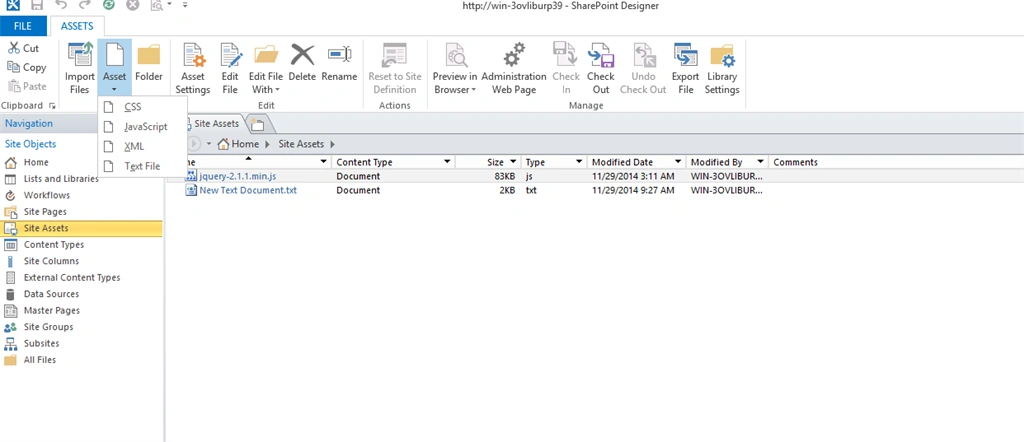
After adding a JavaScript file, this file is available in the SharePoint Site Assets Folder.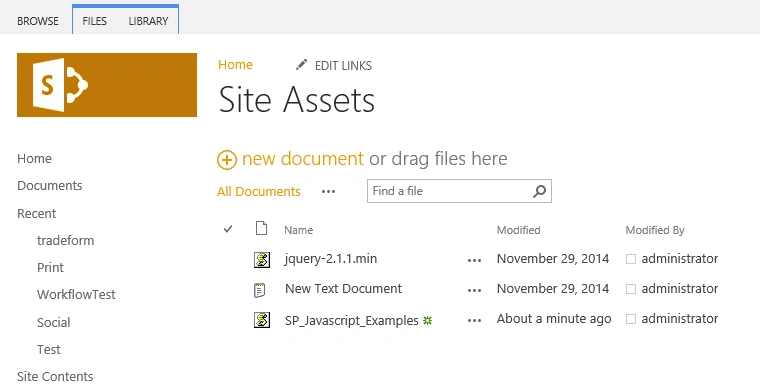
Go to the SP site Page and add a New page to the SharePoint site.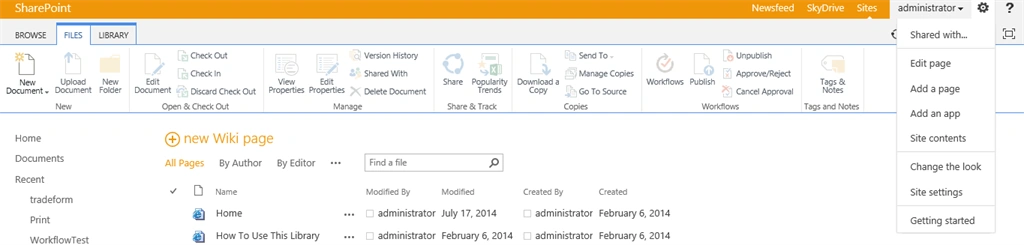
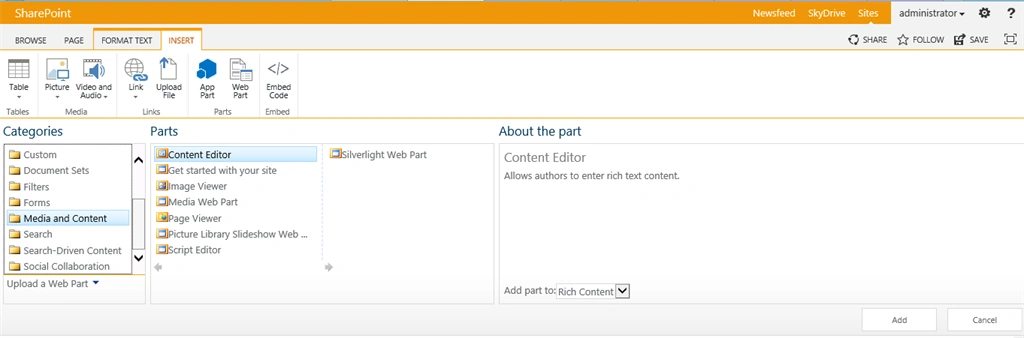
After adding a page select an Insert button in the Ribbon Menu.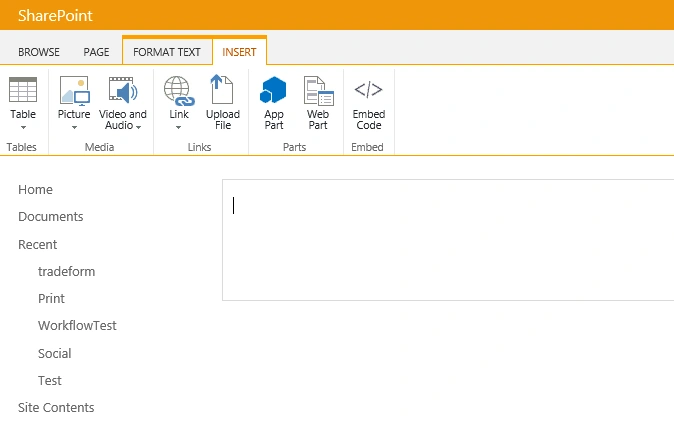
Then add a Content Editor Web part into the page.
Edit the WebPart and add a JavaScript file link to the content link.
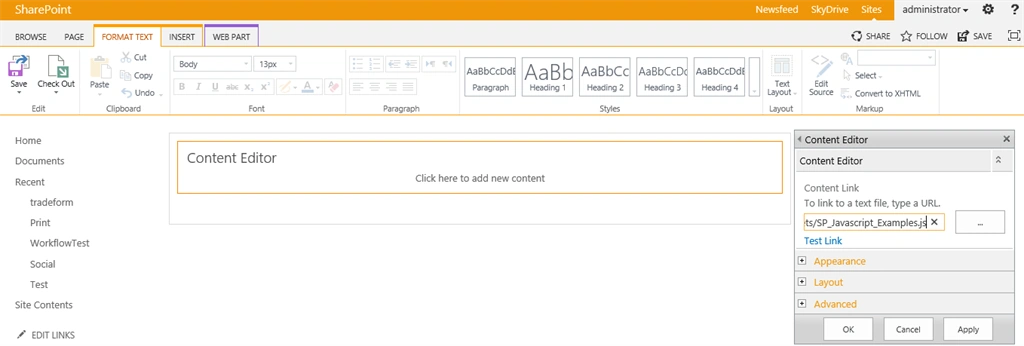
Save the web part and save the page in the site. Click the button!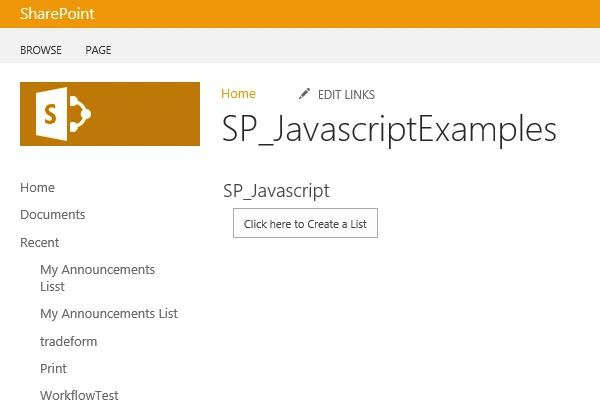
List Created Successfully.
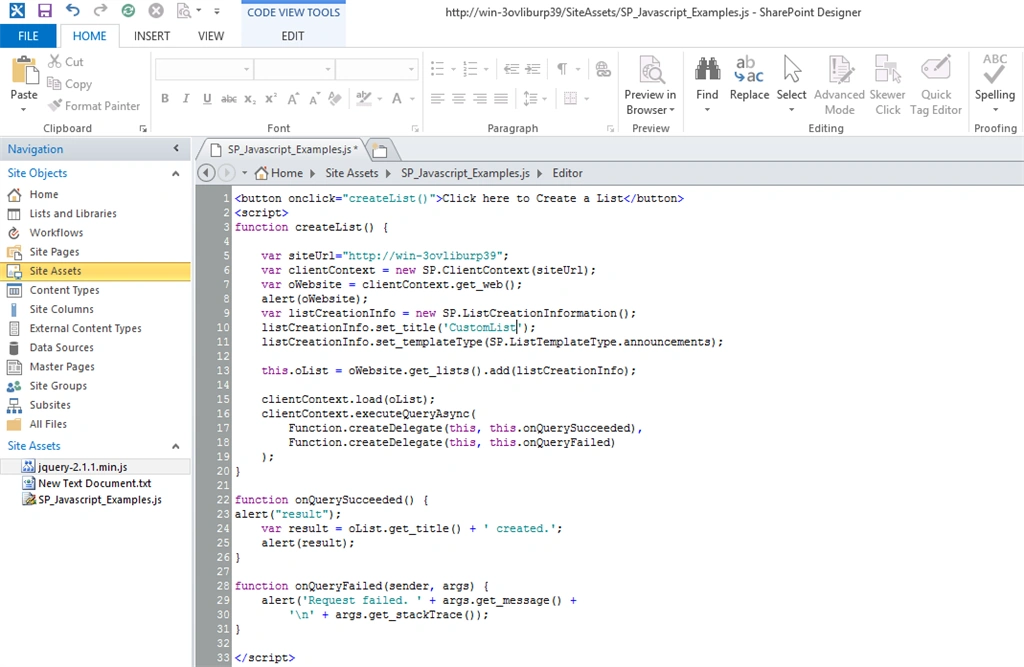
Source Code
- <button onclick="createList()">Click here to Create a List</button>
- <script>
- function createList()
- {
- var siteUrl="http://win-3ovliburp39";
- var clientContext = new SP.ClientContext(siteUrl);
- var oWebsite = clientContext.get_web();
- alert(oWebsite);
- var listCreationInfo = new SP.ListCreationInformation();
- listCreationInfo.set_title('CustomListAnnouncement');
- listCreationInfo.set_templateType(SP.ListTemplateType.announcements);
- this.oList = oWebsite.get_lists().add(listCreationInfo);
- clientContext.load(oList);
- clientContext.executeQueryAsync(
- Function.createDelegate(this, this.onQuerySucceeded),
- Function.createDelegate(this, this.onQueryFailed)
- );
- }
- function onQuerySucceeded()
- {
- alert("result");
- var result = oList.get_title() + ' created.';
- alert(result);
- }
- function onQueryFailed(sender, args)
- {
- alert('Request failed. ' + args.get_message() +
- '\n' + args.get_stackTrace());
- }
- </script>
SriramPosted Jul 6, 2015, 1:48 AM
Excellent...........
Vijay SPosted Apr 29, 2015, 3:16 AM
Nice
Karthik Muthu KaruppanPosted Apr 23, 2015, 11:35 AM
nice
NitinPosted Apr 18, 2015, 12:56 AM
nice one
Santhakumar MunuswamyPosted Apr 17, 2015, 10:29 PM
Good work..
Rahul Kumar SaxenaPosted Apr 17, 2015, 10:00 PM
Good Show Gowtham Rajamanickam...