

Before starting I am assuming you are aware of the sandbox limitations. Full trust solution is providing sandbox solution to work in a full environment. In short this is the way to achieve farm based solution functionality in a Sandbox.
Namespace Required:
using Microsoft.SharePoint.UserCode;
using Microsoft.SharePoint.Security;
using System.Security.Permissions;
using Microsoft.SharePoint;
using Microsoft.SharePoint.Publishing;
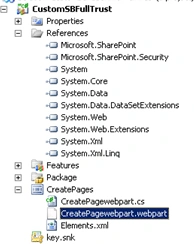
Step 1: Create a simple sharepoint solution with Sandbox; choose create webpart:
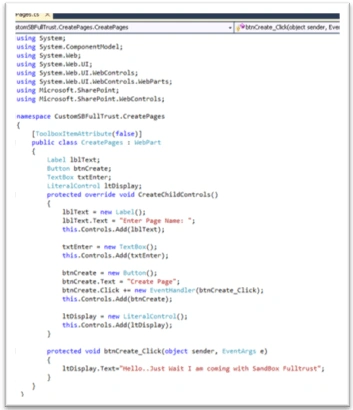
Step 2: In the webpart, add the logic for creating the web part:
Step 3: Deploy the webpart and see the UI:

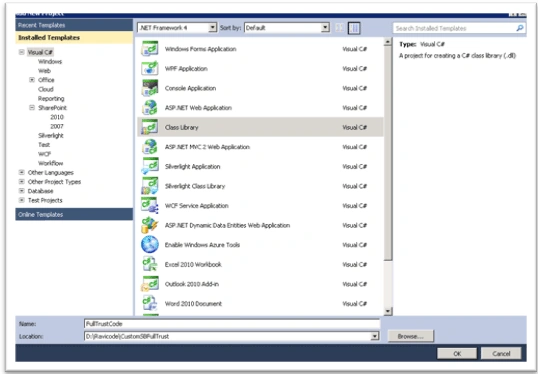
Step 4: Create a new project under the same solution; give it a name and Click Ok:
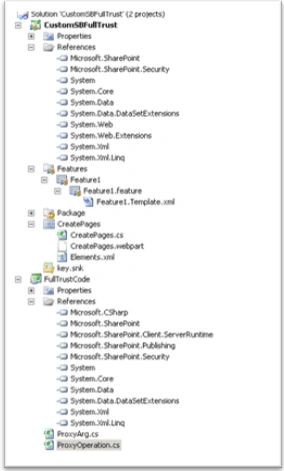
Step 5: Create two classes under full trust class library. One for ProxyArg and the other for ProxyOperation.
Step 6: Add the reference to the Fulltrust code in webpart like below:
string st= SPUtility.ExecuteRegisteredProxyOperation(assemblyName,typeName, new ProxyArg(URL, txtEnter.Text)).ToString();
Step 7: Add the code logic and deploy the solution. Put the solution GAC and take the reference in Webpart solution.
Step 8: Use the attached powershell script for registering the full trust code in sandbox solution. Deploy the webpart.
It will look like below
:
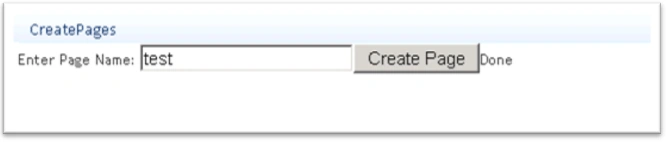
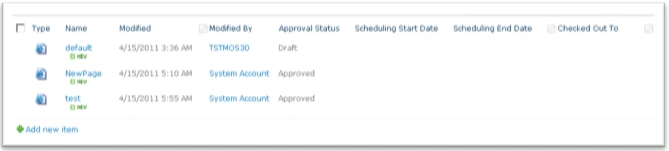
And you can check the page library also:
That's it. We are done with our solution. Hope you like this article.
Sonu ChaudharyPosted Mar 18, 2016, 3:00 PM
good one
Gowtham RajamanickamPosted Mar 27, 2015, 2:36 PM
good....
Former memberPosted Apr 19, 2011, 12:22 AM
"In this article I am explaining the step by step procedure to create a sandbox solution with full trust proxy. Before starting I am assuming you are aware of the sandbox limitations. " ------------------------- This should be as ----- In this article , I am going to walkthrouh on "Create a Sandbox solution with Full Trust proxy " ..............Before I start , I assume , you are aware of limitation of sandbox solutions....... Please do not take else , just we wall want to improve so suggested as best of my knowledge