

Introduction
In this article we will see how we can customize an AutoCompleteBox in WPF.
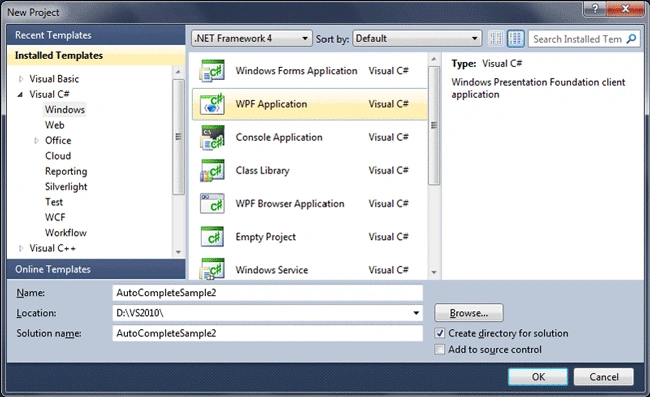
Creating a WPF Project
Fire up Visual Studio 2010, create a WPF Application, and name it as AutoCompleteSample2.
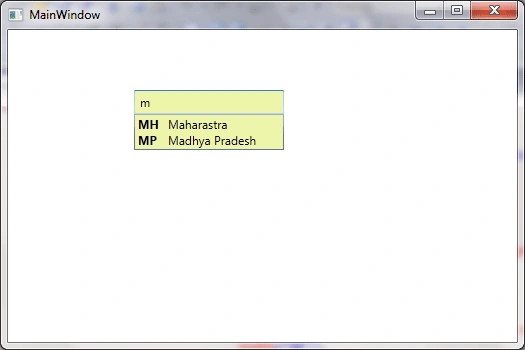
Sometimes we need to display more than one item in the auto complete box suggestion. For example state code with state names.
So we got two columns in the suggestion.
I was trying hard to customize it in Expression Blend, but turns out it was very simple.
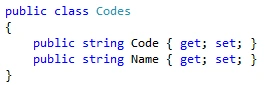
Let's have a class of Codes with the following properties.
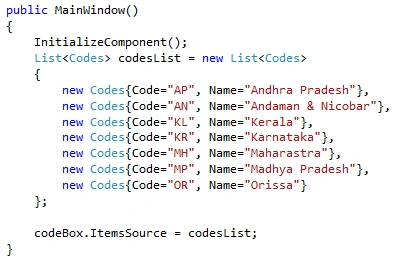
Now let's create a list of Codes and bind that to the AutoCompleteBox.
Now without customization, let's run the application and see what we are getting as output.
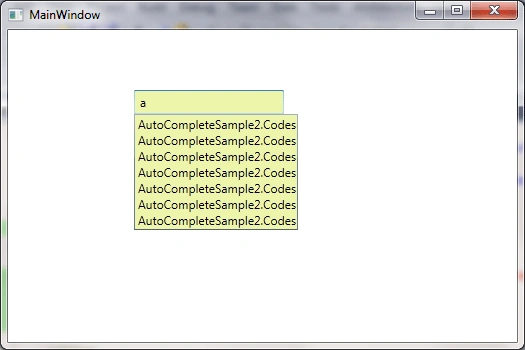
So we are getting the Class name instead.
Now we can simply customize the Item Template of the AutoCompleteBox as follows:
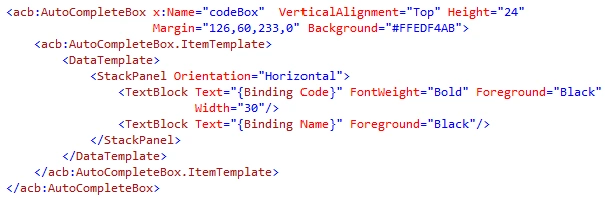
As you see in the above code display, I have two textboxes which would bind to the respective properties of the ItemsSource.
Now let's run the application again and see the output.
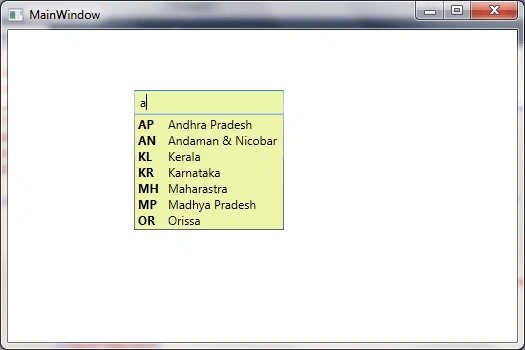
In the above figure, I have typed "a" but still it's displaying all the states.
To achieve that we need to have the property called ValueMemberPath.
Set the value as the property you need to bind, in our case Name.

Now finally we can run the application for desired output.
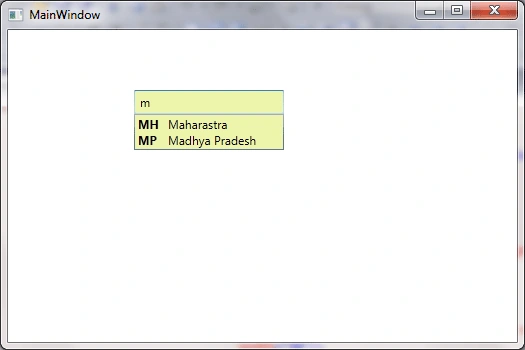
Hope this article helps.
Elton RibeiroPosted Jan 2, 2019, 10:50 PM
Thanks for that. i want to do that for my search box which i think would work fine. however, how do i make each item (in your example, names) clickable which takes user to a certain page? i already got page switcher implemented. my app is for cinema movies so each i want to make each name clickable and would direct the user to a certain movie page but not too sure how to do it.
haris tahirPosted Dec 11, 2012, 1:27 PM
GREAT WORK . . .I HAVE CHECKED ALMOST EVERY CORNER OF THE WORLD BUT GET UR CODE WORKING AMONG MOST OF THEM . . THANKS ALOT FOR HELP
hirak senguptaPosted Feb 16, 2011, 9:04 AM
Hi, I followed the same code. But it does not work. It asks for acb which you have mentioned in the XAML file. Let me know, how to make it working. Thanks, Hirak
Drew ShenemanPosted Dec 29, 2010, 10:23 AM
Would there be any way to loop through the items in the suggest list and apply a different background color to the rows? Thanks!
nesrine melienePosted Dec 2, 2010, 8:07 AM
je te remercie c très intérssant
mohsin aboobackerPosted Jul 29, 2010, 9:53 AM
Hey Bro, Thanks for the post...It really helped...Was working with a usercontrol with a grid to select items...now it was so easy using this sample... Any body who wants to load the same from dataset.. List<Codes> codesList = new List<Codes>(); for (int i = 0; i < ds.Tables[0].Rows.Count; i++) { codesList.Add(new Codes { item = ds.Tables[0].Rows[i]["StockCode"].ToString(), description = ds.Tables[0].Rows[i]["Description"].ToString() }); } autoCompleteBox1.ItemsSource = codesList;