

DataGrid in WPF:
How to bind records in DataGrid using WPF?
MainWindow.xaml:
<Window x:Class="DataGridInWPF.MainWindow"
xmlns="http://schemas.microsoft.com/winfx/2006/xaml/presentation"
xmlns:x="http://schemas.microsoft.com/winfx/2006/xaml"
Title="MainWindow" Height="250" Width="550" Loaded="Window_Loaded">
<Grid>
<DataGrid HorizontalAlignment="Center" Name="dataGrid1"
AutoGenerateColumns="False"
CanUserResizeRows="True"
CanUserResizeColumns="True"
CanUserReorderColumns="True">
<DataGrid.Columns>
<DataGridTextColumn Binding="{Binding Path=CustomerID}" Header="ID" MaxWidth="50" />
<DataGridTextColumn Binding="{Binding Path=CompanyName}" Header="Company" MaxWidth="100" />
<DataGridTextColumn Binding="{Binding Path=ContactName}" Header="Name" MaxWidth="100" />
<DataGridTextColumn Binding="{Binding Path=City}" Header="City" MaxWidth="100" />
<DataGridTextColumn Binding="{Binding Path=Country}" Header="Country" MaxWidth="100" />
<DataGridTextColumn Binding="{Binding Path=Phone}" Header="Phone" MaxWidth="100" />
</DataGrid.Columns>
</DataGrid>
</Grid>
</Window>
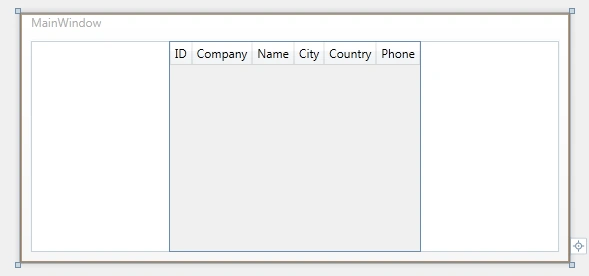
Figure 1: Display DatGrid in design format.
MainWindow.xaml.cs:
using System;
using System.Collections.Generic;
using System.Linq;
using System.Text;
using System.Windows;
using System.Windows.Controls;
using System.Windows.Data;
using System.Windows.Documents;
using System.Windows.Input;
using System.Windows.Media;
using System.Windows.Media.Imaging;
using System.Windows.Navigation;
using System.Windows.Shapes;
using System.Data;
using System.Data.SqlClient;
namespace DataGridInWPF
{
/// <summary>
/// Interaction logic for MainWindow.xaml
/// </summary>
public partial class MainWindow : Window
{
SqlConnection MyConnection;
SqlCommand MyCommand;
SqlDataAdapter MyAdapter;
DataTable MyTable;
public MainWindow()
{
InitializeComponent();
}
private void Window_Loaded(object sender, RoutedEventArgs e)
{
BindGrid();
}
private void BindGrid()
{
MyConnection = new SqlConnection();
MyConnection.ConnectionString = "SERVER=Puru;Uid=sa; pwd=wintellect;Database=TestData;";
if (MyConnection.State == ConnectionState.Closed)
MyConnection.Open();
MyCommand = new SqlCommand();
MyCommand.CommandText = "Select CustomerID,CompanyName,ContactName,Country,City,Phone from CustomerDetail";
MyCommand.CommandType = CommandType.Text;
MyCommand.Connection = MyConnection;
MyTable = new DataTable();
MyAdapter = new SqlDataAdapter();
MyAdapter.SelectCommand = MyCommand;
MyAdapter.Fill(MyTable);
dataGrid1.ItemsSource = MyTable.DefaultView;
}
}
}
SubashPosted Sep 28, 2016, 7:58 AM
Useful one sir
Kiran Kumar TalikotiPosted Oct 1, 2013, 6:16 AM
Very Useful Sir:)Thank you:) But one question.How to do it in Code First?
Ernie CoopereditedPosted Mar 15, 2011, 3:52 PMEdited Mar 15, 2011, 3:53 PM
I have searched for hours trying to find a great example like this that shows what I needed to learn. I am new to WPF... one of my big problems is that there is so many different ways people are doing something (C#, VB, ASP.net, Winforms vs. WPF) and that it gets confusing; depending upon which platform you are using there are different methods. I am using C## Visual Studio 2010, using WPF, and I want to read/write to a SQL database. If you can recommend any books that would be great. Currently I'm using "Visual C## 2010 Step by Step" by John Sharp and "WPF 4 Unleashed" is in the mail from Amazon. Thank you, this helped a lot.
sean kofiPosted Feb 14, 2011, 7:37 PM
The data grid is an interesting control