

In this article I am giving a small introduction about how to create a managed
path using Power Shell
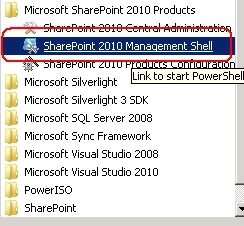
1. On the Start menu, click All Programs.
2. Click Microsoft SharePoint 2010 Products.
3. Click SharePoint 2010 Management Shell.
4. At the Windows Power Shell command prompt type the following command:
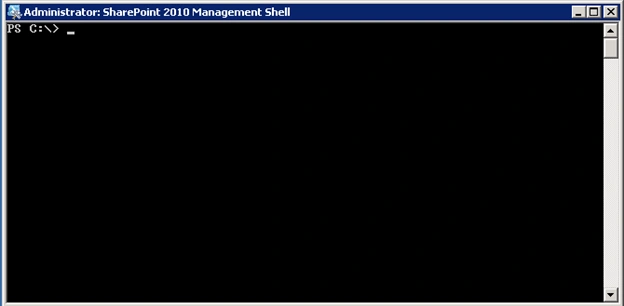
5. You will get a Power shell command prompt like below
How to add a Managed Path
6. You can use the New-SPManagedPath cmdlet to add managed paths for a Web
application
Syntax
New-SPManagedPath -RelativeURL "Relative URL" -WebApplication <Web Application
URL>
- "Relative URL" is the relative URL for the new managed path. The type must be a valid partial URL, for example sites, teams,etc.
-
<WebApplication URL> is the Web application url where you want to add this
managed path.
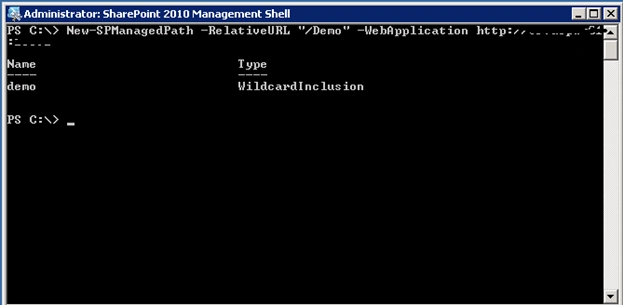
7. Please find below the command in action
How to Remove a Managed path
8. You can use the New-SPManagedPath cmdlet to add managed paths for a Web
application
Syntax
Remove-SPManagedPath -Identity <<Managed Path Name>> -WebApplication <Web
Application URL>
- "Managed Path Name" is the name of managed path.
- <WebApplication URL> is the Web application url where you want to add this managed path.
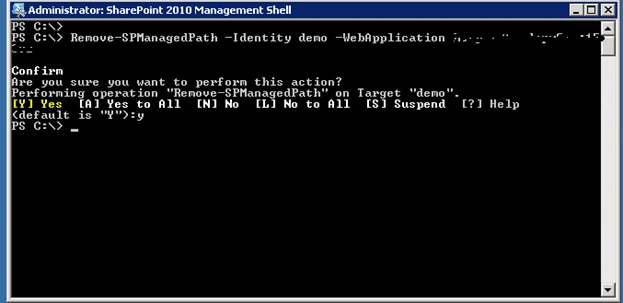
9. Please find below the command in action
Join the conversation! Your thoughts help the community grow.