
The DataReader class is used in connected architectures in .NET. It is used for getting records from a Back-end (DataBase) to a Front-end interface control. Now we will create a F# application which will show records from a DataBase in a ListBox. At first we will create a DataBase and insert some records into the DataBase table.
Creating DataBase: We create a DataBase
for binding. Here in my example, the DataBase name is student_record, table name is
student and Columns are Roll_No and Name. I am using SQL server. I have written
code for creating this database. Look at the below SQL statements.
create
database student_record
use student_record
create table student
(
Roll_No int primary
key,
Name varchar(20)
)
insert into
student values(1,'Alok
Pandey')
After creating DataBase and table, we start to develop F# application that will show record from DataBase using DataReader class. We follow the following steps for this.
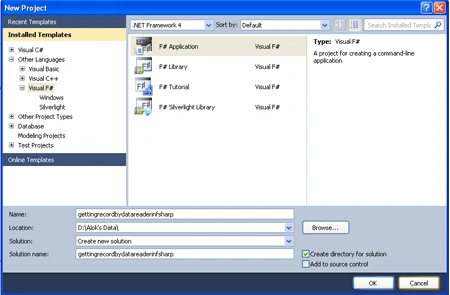
Step 1: We open Visual Studio and create a F#
application.
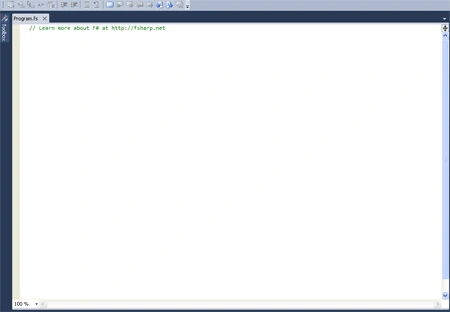
The application page will look like the below figure.
Step 2: We go to Solution Explorer and Right Click on References.
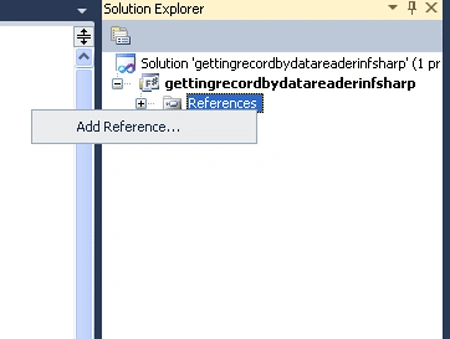
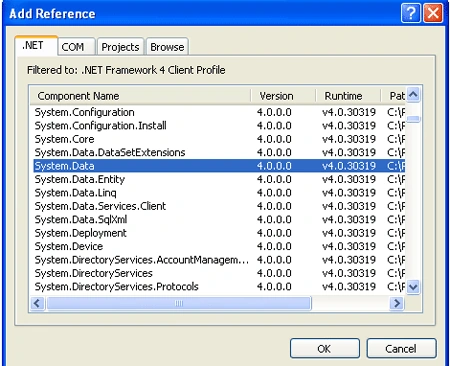
Step 3: Click on Add References. Then a
pop-up window with caption Add Reference will open as below figure.
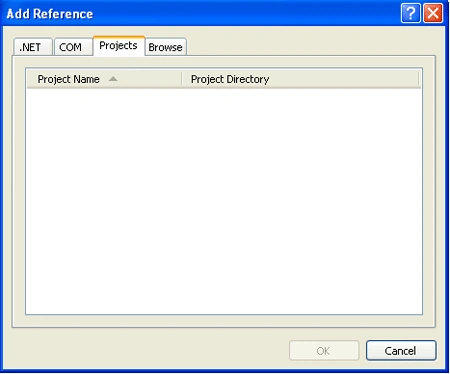
Step 4:Click
at .NET on Add Reference window and select System.Windows.Forms,
System.Drawing and System.Data with holding down Ctrl key
and Click on Ok.
Step 5: Then write the below F# code in the Program.fs file.
//Adding
NameSpace
open
System
open
System.Windows.Forms
open
System.Data.SqlClient
open
System.Drawing
//Connection String
let
constring = @"Data Source=Server_Name;Initial
Catalog=student_record;Integrated Security=True"
//Creating Window Form
let frm =
new Form()
//Creating ListBox
let list =
new ListBox()
//Adding Control(ListBox)
frm.Controls.Add(list)
//Creating SqlConnection
let con =
new SqlConnection(constring)
//Open connection
con.Open()
//Creating SqlCommand
let com =
new SqlCommand()
//Command Text
com.CommandText <-
"select name from student"
//Making Connection
com.Connection <- con
//ExecuteReaader
let dr =
com.ExecuteReader()
//Fetching Record into ListBox from DataBase
if dr.Read()
then
for i = 0
to (dr.FieldCount - 1)
do
list.Items.Add(dr.Item(i))|>ignore
//Closing DataReader
dr.Close()
//Closing Connection
con.Close()
Application.Run(frm)
The code window looks like the below figure.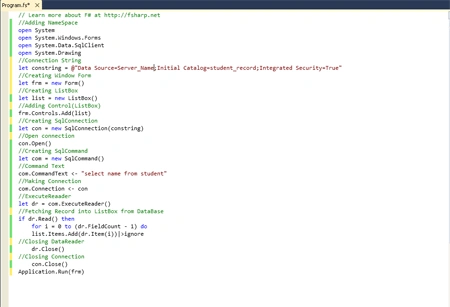
Step 6:
Run the application by pressing the Ctrl+F5 keys.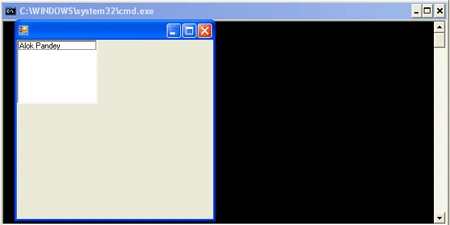
Join the conversation! Your thoughts help the community grow.