

There are some situations in which we need to code to create
a short cut of our application especially when user loose the shortcuts created
by the application after the setup has been run because some shortcuts also
have defines special parameters that are for executable that runs program.
So here is article i am presenting that will show you how to
write code in c# that will create shortcut programmatically.
Step 1:
Create a New Windows Form Project.
Step 2:
Drag drop a button control from Toolbox to Form name it btnShortcut and Set text Property to "Create Shortcut "
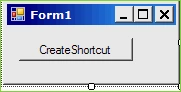
Step 3:
For creating shortcut you need to reference Windows Script Host Object so follow
the steps as below
Step 3a:
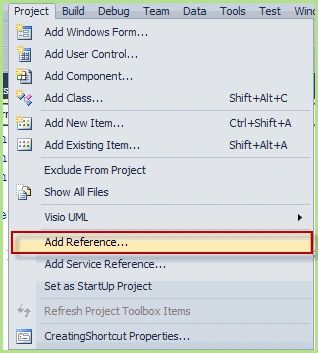
Step
3b:
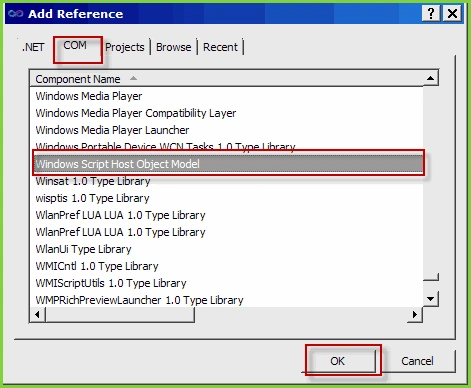
Step 4:
Add namespace as below
using IWshRuntimeLibrary;
Step 5:
Now write code in Button's Click event like below
private void btnShortcut_Click(object
sender, EventArgs e)
{
WshShellClass shell = new WshShellClass();
IWshShortcut shortcut = (IWshShortcut)shell.CreateShortcut(@"D:\shotcut.lnk");
shortcut.TargetPath = Application.ExecutablePath;
//shortcut.IconLocation = 'Location of iCon you want to set";
// add Description of Short cut
shortcut.Description = "Any Description
here ";
// save it / create
shortcut.Save();
}
Step 6: you are done here is your result
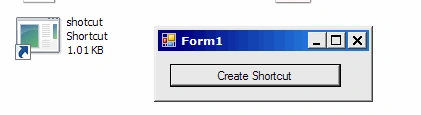
Istvan NemethPosted May 17, 2012, 4:16 AM
Hi! Very good but I have a problem with it. I have added arguments to the shortcut and when the argument contains special characters (in my case: ->) the .Save method throws exception. Do you know how this can be handled? The Exception: System.IO.FileNotFoundException: The filename, directory name, or volume label systax is incorrect. Thanks
WTF hieditedPosted Mar 1, 2012, 4:37 PMEdited Mar 1, 2012, 4:39 PM
Thank you it's really usefull! :) In Visual studio 2010 you have to make WshShellClass shell = new WshShellClass(); >> WshShell shell = new WshShell();
Jitendra PujhariPosted May 16, 2011, 1:13 AM
thank's
Kalyan kumar AkshinthalaPosted Jan 3, 2011, 11:44 PM
The code which u have given is very good and also very useful.
matsolofPosted Dec 22, 2010, 8:31 AM
I tried the code in Visual Studio 2010 and got these error messages: Error 1: Interop type 'IWshRuntimeLibrary.WshShellClass' cannot be embedded. Use the applicable interface instead. Error 2: 'IWshRuntimeLibrary.WshShellClass' does not contain a definition for 'CreateShortcut' and no extension method 'CreateShortcut' accepting a first argument of type 'IWshRuntimeLibrary.WshShellClass' could be found (are you missing a using directive or an assembly reference?) Error 3: Interop type 'IWshRuntimeLibrary.WshShellClass' cannot be embedded. Use the applicable interface instead. Why?
Vikram chaurasiyaPosted Aug 24, 2010, 6:12 AM
hi