

- Back to the Application Management section
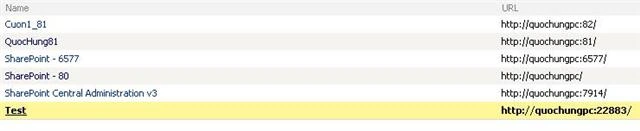
- New Web Application Testing in Web Application List
- Back to the Application Management section
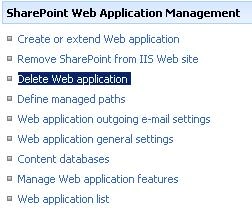
- Click Delete Web application
- Select the web application to be deleted
- Select the delete content databases yes
- Select yes delete IIS web sites
- Click the delete button; in the delete dialog box choose OK to accept
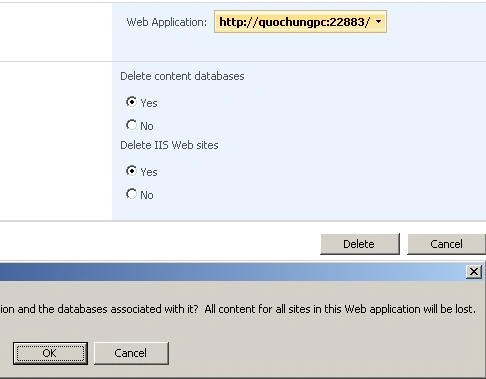
- Select the web application to be deleted
How to Delete Web Application in SharePoint Server 2007
In this exercise we see how to delete a Web Application in a SharePoint Server 2007.
Join the conversation! Your thoughts help the community grow.