

How to do that?
Solution
Open Central Administration then slelct "Manage Web Applications".
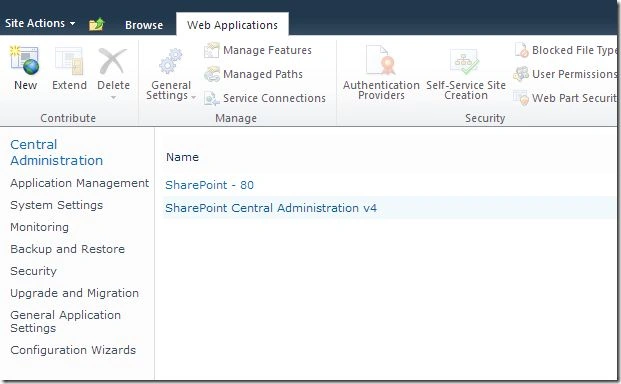
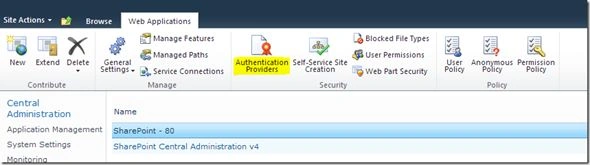
Select the web application and choose "Authentication Providers" from the ribbon.
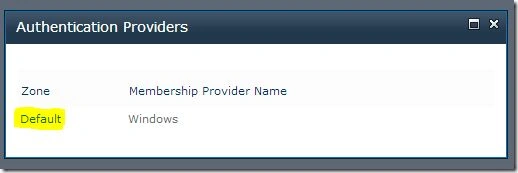
In the dialog, click on the default item.
You will get the following dialog.
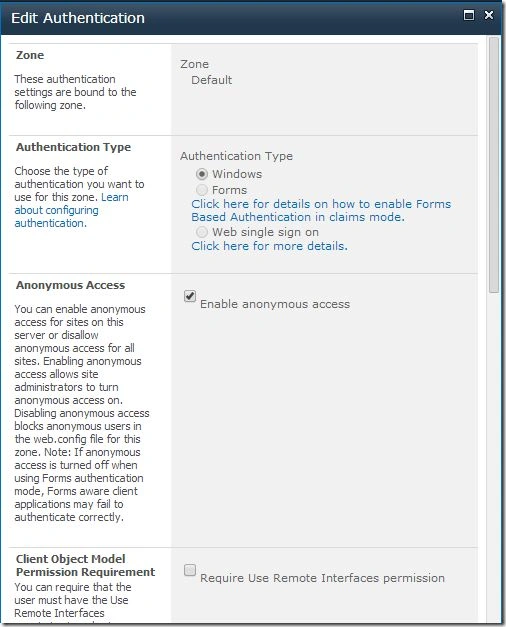
Check the "Enable anonymous access" checkbox and click the "OK" button.
Your site is ready with Anonymous Access. Open a new browser window and test it.

When creating a web application, we can choose the Anonymous option from the wizard itself.
References
Grant permissions to anonymous users
Summary
In this article we explored how to enable Anonymous access for an existing web application.
Join the conversation! Your thoughts help the community grow.