

In this article I provide a quick overview of how to insert a record into SQL Server using jQuery. You can do it many ways such as using Generic Handlers and using a WCF service. Here you will see it using Generic Handlers in ASP.Net. First we create a database table named "Test".
Creating SQL Database Table
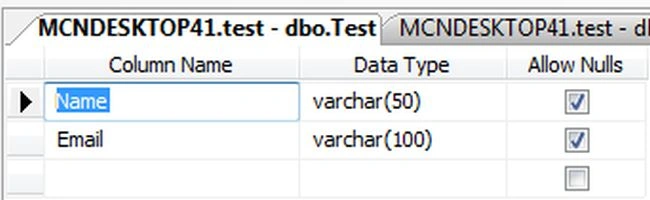
This database contains one table named test.
CREATE TABLE [dbo].[Test](
[Name] [varchar](50) NULL,
[Email] [varchar](100) NULL
)
Now press F5 to execute the script above that looks like this:
ASP.NET Handler
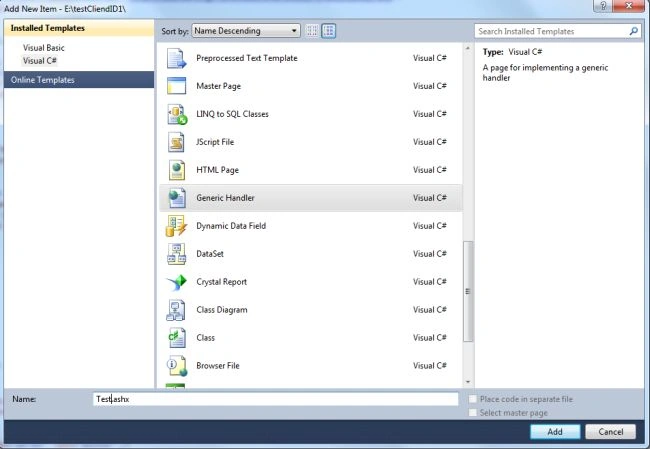
Right-click your ASP.NET Project then select "Add New Item" -> "Generic Handler" and give it the name "Test.ashx".
The default handler (ashx) file code looks like this:
<%@ WebHandler Language="C#" Class="Test" %>
using System;
using System.Web;
public class Handler : IHttpHandler {
public void ProcessRequest (HttpContext context) {
context.Response.ContentType = "text/plain";
context.Response.Write("Hello World");
}
public bool IsReusable {
get {
return false;
}
}
}
Now create a .cs class file in the application and provide the same name as in:
Class="Test"
Now use "CTRL+X" and the following code from the code above.
using System;
using System.Web;
public class Handler : IHttpHandler {
public void ProcessRequest (HttpContext context) {
context.Response.ContentType = "text/plain";
context.Response.Write("Hello World");
}
public bool IsReusable {
get {
return false;
}
}
}
Now paste it into the .cv file. The code in the file will look like this:
using System;
using System.Collections.Generic;
using System.Linq;
using System.Web;
using System.Data;
using System.Data.SqlClient;
public class Test : IHttpHandler
{
public void ProcessRequest(HttpContext context)
{
if (HttpContext.Current.Request.QueryString["StrMethod"].ToUpper() == "SAVE")
{
Connection();
}
}
public bool IsReusable
{
get
{
return false;
}
}
public string Connection()
{
SqlConnection con = new SqlConnection(@"Data Source=.; Database=Test; User ID=sa;Password=Micr0s0ft");
con.Open();
SqlCommand cmd = new SqlCommand("Insert into Test values('" + HttpContext.Current.Request.Form["UserName"] + "', '" + HttpContext.Current.Request.Form["Email"] + "')", con);
cmd.ExecuteNonQuery();
return "True";
}
}
.ASPX Page
Right-click your ASP.NET Project then select "Add New Item" -> "New Page" and give it the name "Test.aspx" and add the following control into it:
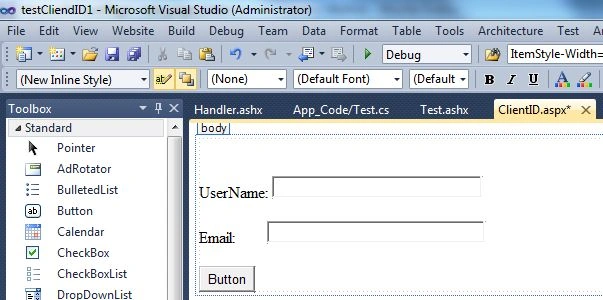
Now click on the source tab and add the following code:
<%@ Page Language="C#" AutoEventWireup="true" CodeFile="ClientID.aspx.cs" Inherits="ClientID" %>
<!DOCTYPE html PUBLIC "-//W3C//DTD XHTML 1.0 Transitional//EN" "http://www.w3.org/TR/xhtml1/DTD/xhtml1-transitional.dtd">
<html xmlns="http://www.w3.org/1999/xhtml">
<head runat="server">
<title></title>
<script src="Scripts/jquery-1.4.1.min.js" type="text/javascript"></script>
<script type="text/javascript">
$(document).ready(function () {
$('#Button1').click(function () {
var strMethod = "SAVE";
var StrUrl = 'Test.ashx?StrMethod=' + strMethod;
$.ajax({
type: 'POST',
url: StrUrl,
data: {
UserName: $('#txtUserName').val(),
Email: $('#txtEmail').val()
},
async: false,
success: function (response) {
$('#txtUserName').val('');
$('#txtEmail').val('');
alert("Record Has been Saved in Database");
}
});
});
});
</script>
</head>
<body>
<form id="form1" runat="server">
<div>
<br />
<br />
UserName:
<asp:TextBox ID="txtUserName" runat="server" ClientIDMode="Static" Width="202px"></asp:TextBox>
<br />
<br />
Email:
<asp:TextBox ID="txtEmail" runat="server" ClientIDMode="Static" Width="210px"></asp:TextBox>
<br />
<br />
<asp:Button ID="Button1" runat="server" Text="Button" />
</div>
</form>
</body>
</html>
Now Run the application.
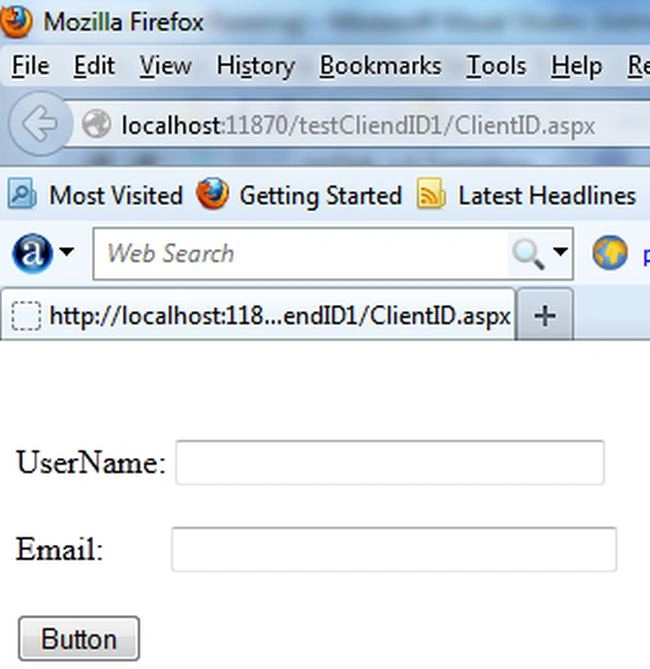
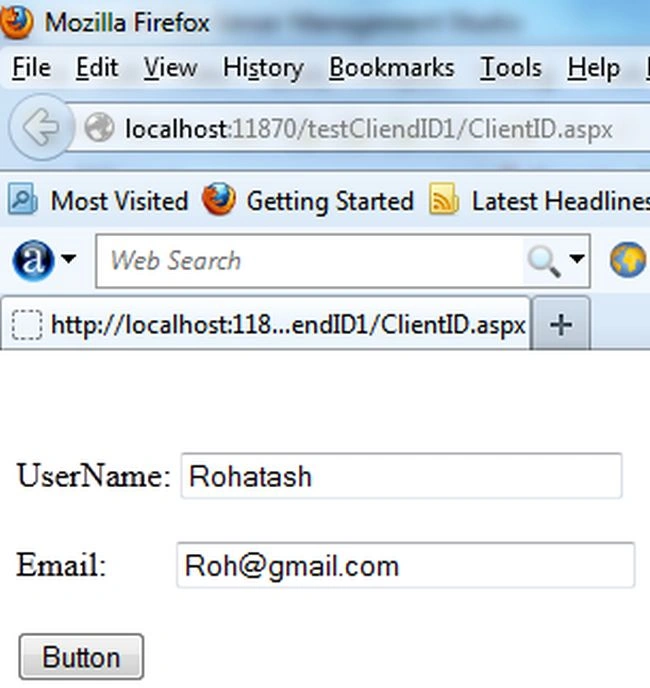
Now enter the name and email into the corresponding TextBox.
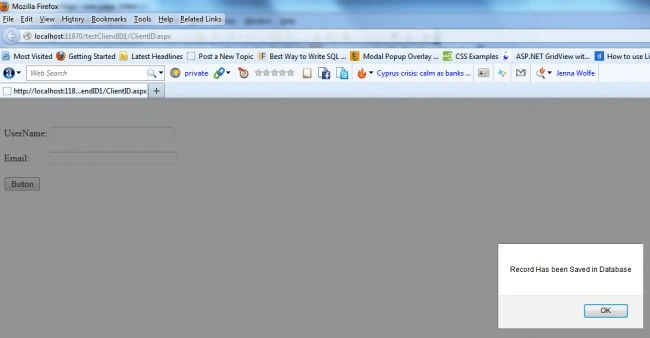
Now click on the Button control.
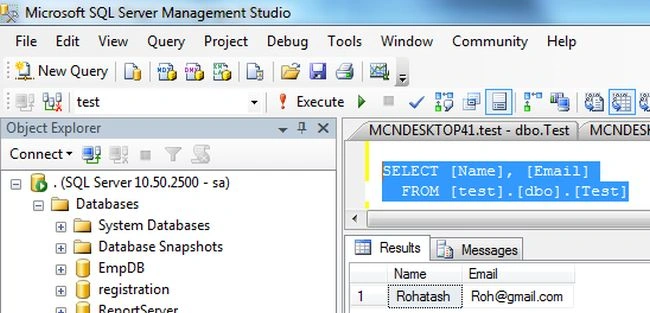
Now open the SQL Server database and check it.
Rohatash KumarPosted May 21, 2013, 11:13 PM
Thanks harjinder.
Harjinder SinghPosted May 18, 2013, 3:09 AM
Thanks! For this valuable source code. Really helped me a-lot.