

Introduction
Hi all, I hope you are fine. Today we will learn about Angular JS HTML DOM elements. If you are new to Angular JS then I suggest you read the basics of Angular JS here:
Using the code
The ng-disabled directive normally binds the data to the disabled property of our HTML elements. The following is the example for that.
- <b>ng-disabled</b>
- <div ng-app="">
- <p>
- <input type="checkbox" ng-model="myVal" />Please enable me
- </p>
- <p>
- <button ng-disabled="!myVal ">Wow! You enabled me :)</button>
- </p>
- </div>
Here we have a model that is a check box. What we do is, whenever a user clicks that checkbox we are applying that value to the ng-disabled property of the button. Please see the following output.
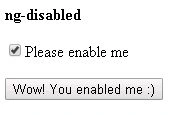
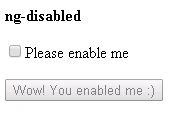
Now we will explain ng-show.
The ng-show shows or hides the HTML controls depending on the ng-show value.
Please see the following example.
- <b>ng-show</b>
- <p>
- <input type="checkbox" ng-model="showhide" />Please show me
- </p>
- <p ng-show="showhide">Am I visible? {{showhide}}</p>
In the preceding example we are taking the value from the model showhide and applying to the ng-show.
Please see the output below.
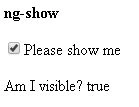
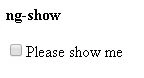
You can apply any expression also. We will discuss that in the following example.
- <b>ng-show-Conditional expressions</b>
- <div ng-init="isAdmin=true">
- <p ng-show="isAdmin == true">Admin User</p>
- </div>
The preceding will show the output as:
ng-hide
The ng-hide directive is the same as the ng-show:
- <b>ng-hide</b>
- <p ng-hide="true">Not visible.</p>
- <p ng-hide="false">Visible.</p>
In the preceding example we are applying the ng-hide value directly. We can use the ng-model for the same as we discussed in the preceding examples.
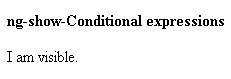
This will return the output as follows.

Complete HTML
- <!DOCTYPE html>
- <html
- xmlns="http://www.w3.org/1999/xhtml">
- <head>
- <title>Angular JS HTML Dom - www.SibeeshPassion.com</title>
- <script src="angular.min.js"></script>
- </head>
- <body>
- <b>ng-disabled</b>
- <div ng-app="">
- <p>
- <input type="checkbox" ng-model=" myVal " />Please enable me
- </p>
- <p>
- <button ng-disabled="!myVal ">Wow! You enabled me :)</button>
- </p>
- <b>ng-show</b>
- <p>
- <input type="checkbox" ng-model="showhide" />Please show me
- </p>
- <p ng-show="showhide">Am I visible? {{showhide}}</p>
- <b>ng-show-Conditional expressions</b>
- <div ng-init="isAdmin=true">
- <p ng-show="isAdmin == true">Admin User</p>
- </div>
- <b>ng-hide</b>
- <p ng-hide="true">Not visible.</p>
- <p ng-hide="false">Visible.</p>
- </div>
- </body>
- </html>
Now that is all for today, I will return with another set of items in Angular JS soon. I hope you liked this article. Please provide your valuable suggestions.
Kindest Regards,
Sibeesh venu
Sibeesh Passion
Sibeesh VenuPosted Jan 27, 2016, 10:01 PM
Aqib Shehzad Thank you
Sibeesh VenuPosted Jan 27, 2016, 10:01 PM
Karthik Muthu Karuppan Thank you
Muhammad Aqib ShehzadPosted Jan 27, 2016, 7:16 AM
nice one
Karthik Muthu KaruppanPosted Apr 23, 2015, 11:30 AM
Good one
Sibeesh VenuPosted Apr 18, 2015, 4:58 AM
Nitin Tyagi Thanks dude
Sibeesh VenuPosted Apr 18, 2015, 4:57 AM
Santhakumar Munuswamy Thank you
NitinPosted Apr 18, 2015, 12:54 AM
nice
Santhakumar MunuswamyPosted Apr 17, 2015, 10:28 PM
Good one