

Look at the following procedure.
Open your SharePoint site.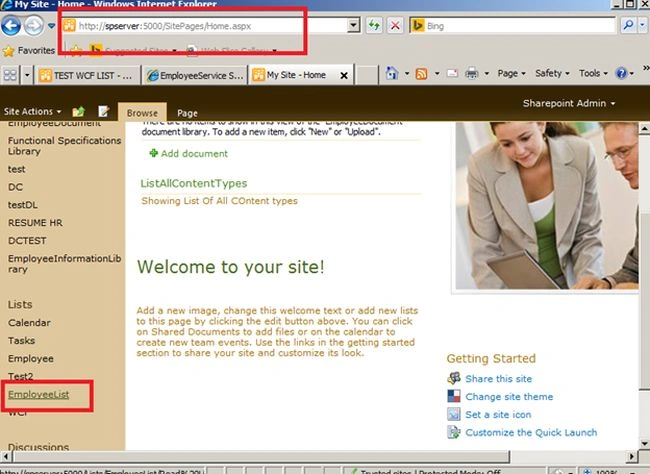
Image 1.
Select your List to delete.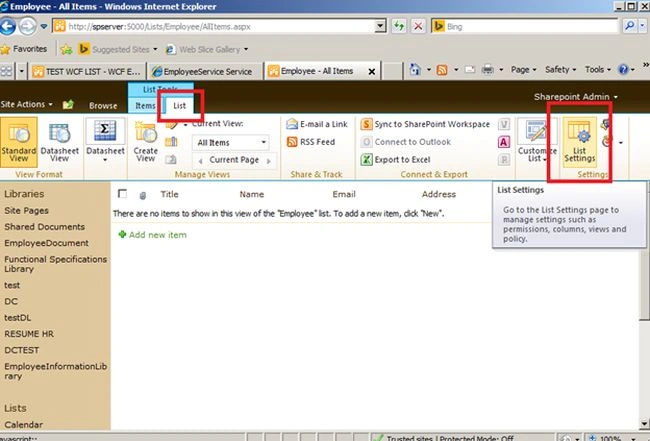
Image 2.
Select "List" -> "List Settings".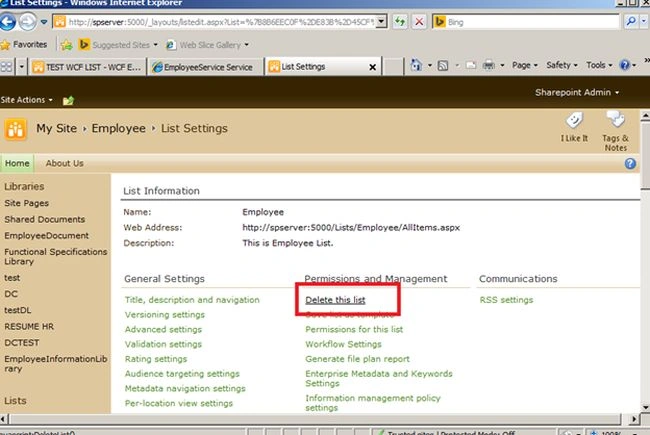
Image 3.
Click on "Delete this list".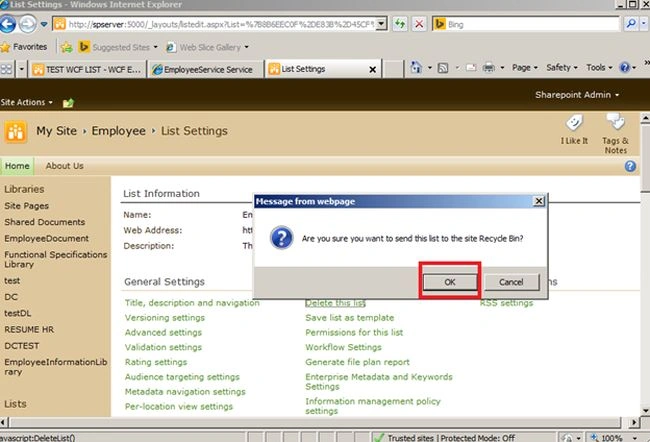
Image 4.
Click "OK".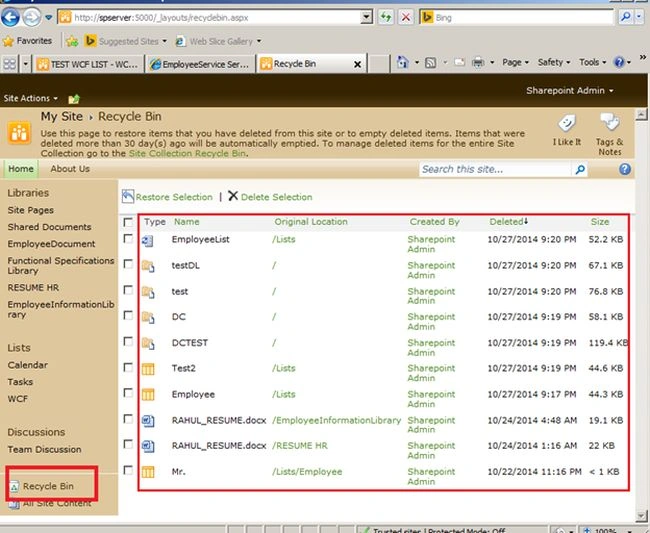
Image 5.
Your List has been successfully deleted. You can view Your Recycle Bin. Like above.
SharePoint 2010: Delete A SharePoint List
In this article I explain how to delete a list in SharePoint 2010.
Join the conversation! Your thoughts help the community grow.