

In Power BI, Data Analysis Expressions(DAX) functions provide a set of functions used to apply on string data. These functions are known as Text functions or String functions.
In this article, I will explain Text DAX functions that are used frequentlyin Power BI.
Functions and Their Description
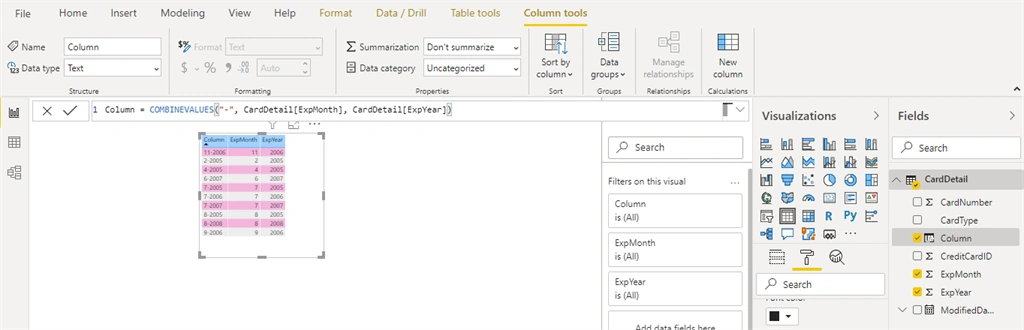
COMBINEVALUES
Combines the given set of operands using a specified delimiter.
Syntax- COMBINEVALUES(Delimiter, Expression1, Expression2,…..)
Delimiter- Any separator used for concatenation.
Expression- Any expression that will be joined in string text.
Ex.
CONCATENATE
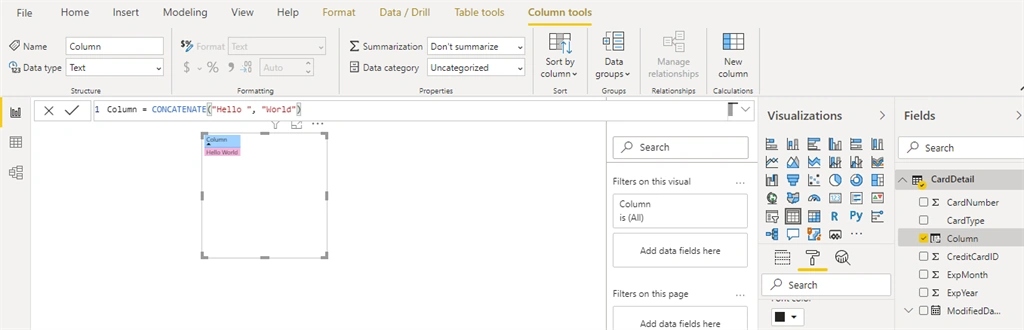
Join two text strings into one text string.
Syntax-CONCATENATE (Text1, Text2)
Text1, Text2 – Any text or string values to combine into a single value.
Ex.
CONCATENATEX
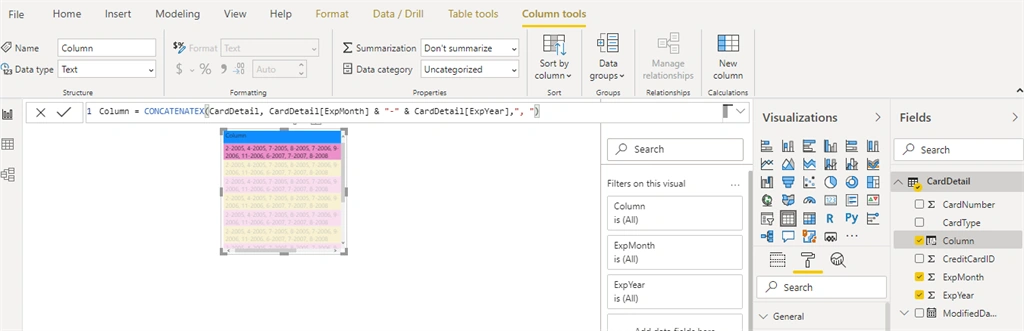
Evaluates expression for each row on the table, then returns the concatenation of those values in a single string result, separated by the specified delimiter.
Syntax- CONCATENATEX(Table, Expression,[Delimiter], [OrderBy_Expression1], [order1], …)
Table - The Table containing the row for which the expression will be evaluated.
Expression - Any expression to be evaluated for each row of the table.
Delimiter - Any separator to use during concatenation. It is optional.
Ex.
EXACT
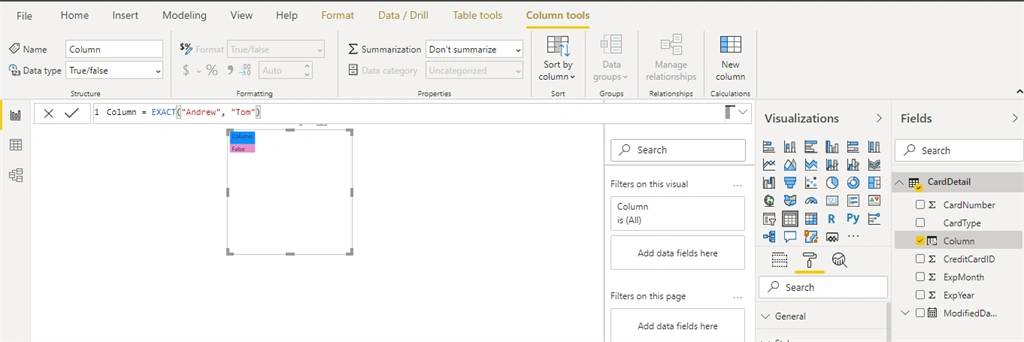
Checks whether two text strings are exactly the same, and returns TRUE or FALSE. EXACT is case-sensitive.
Syntax- EXACT (Text1, Text2)
Text1 –The first text string or column that contains text.
Text2 –The second text string or column that contains text.
Ex.
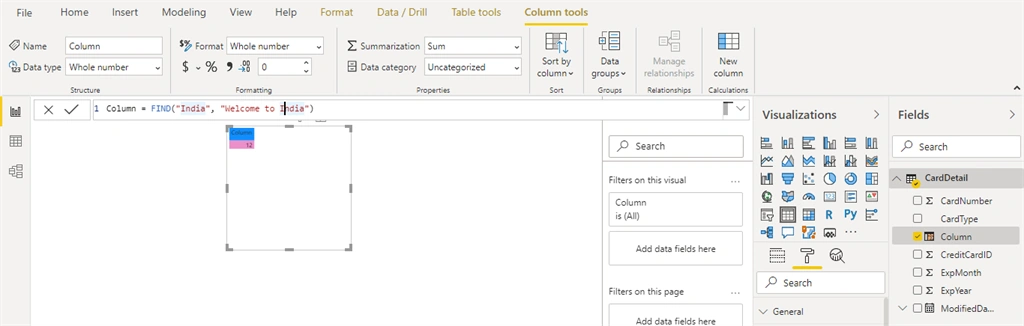
FIND
Return the starting position of one text string within another text string. FIND is case-sensitive.
Syntax - FIND (FindText, WithinText, [StartPosition], [NotFoundValue])
FindText - Any string or text that you find.
WithinText - The text containing the text you want to find.
StartPosition- It is optional. The character position from where you want to start your search. By default it is 1.
NotFoundValue- It is optional.The value that should be returned when the operation does not find a matching substring, typically 0, -1, or BLANK().
Ex.
FIXED
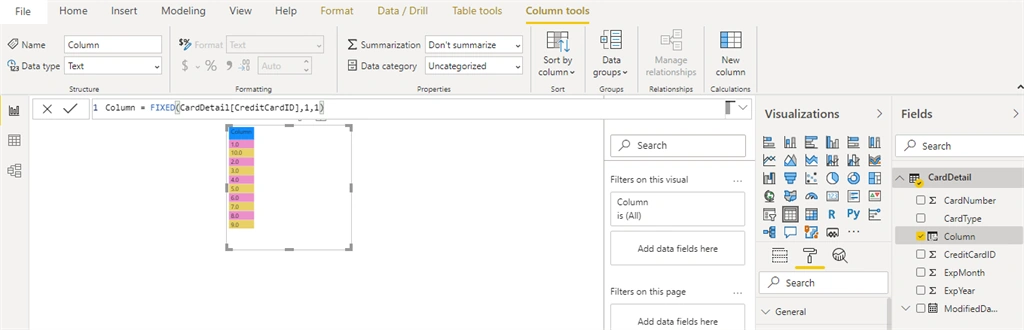
Rounds a number to the specified number of decimals and returns the result as text with optional commas.
Syntax- FIXED (Number, [Decimals], [NoCommas])
Number- The number you want to round and convert to text, or a column containing a number.
Decimal- It is optional.The number of digits to the right of the decimal point; if omitted, 2.
NoCommas- It is optional. A logical value: if 1, do not display commas in the returned text; if 0 or omitted, display commas in the returned text.
Ex.
FORMAT
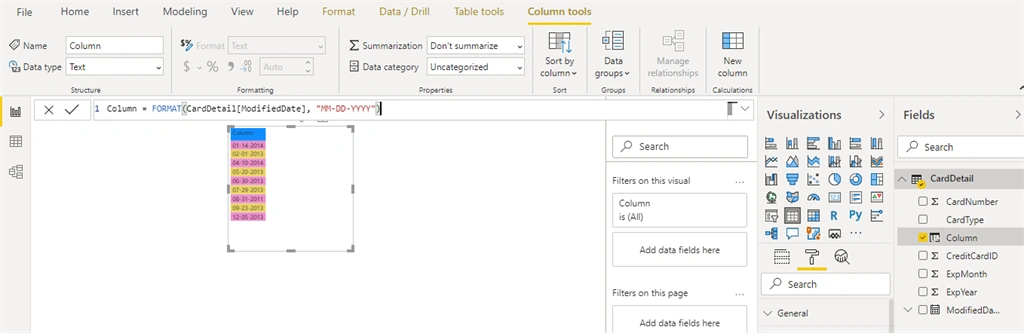
Converts a value to text in the specified number format.
Syntax – FORMAT(Value, Format)
Value - A value or expression that evaluates to a single value.
Format - A string with the formatting template.
Ex.
LEFT
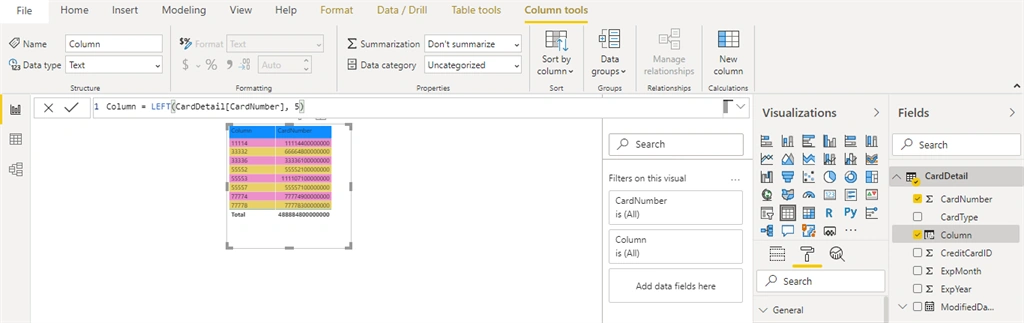
Returns the specified number of characters from the start of a text string.
Syntax - LEFT (Text, [NumberOfCharacters])
Text - The text string containing the characters you want to extract, or a reference to a column that contains text.
NumberOfCharacters- The number of characters you want LEFT to extract; if omitted, 1.
Ex.
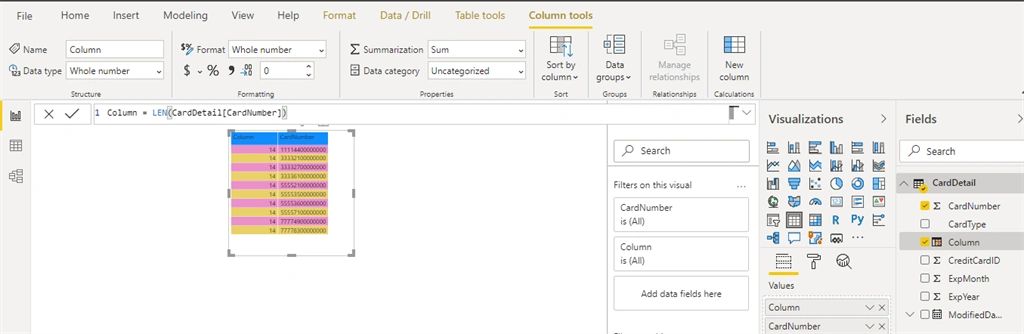
LEN
Returns the number of characters in a text string.
Syntax- LEN(Text)
Text - Any string or text value whose length you want to find.
Ex.
LOWER
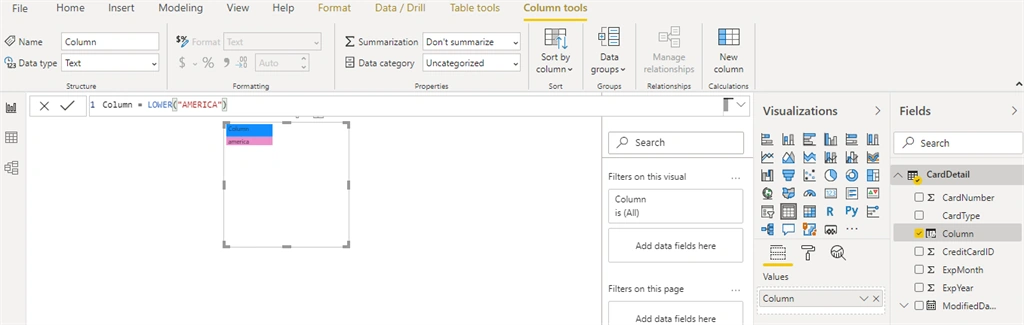
Converts all letters in a text string to lowercase.
Syntax- LOWER(Text)
Text - The text or column that contains text that you want to convert to lower case.
Ex.
REPLACE
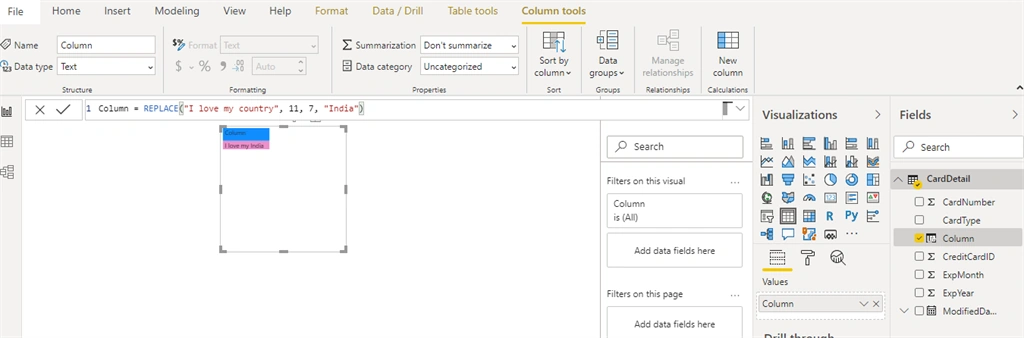
Replaces part of a text string with a different text string.
Syntax- REPLACE (OldText, StartPosition, NumberOfCharacter, NextText)
OldText - The string or text you want to replace, or a reference to a column that contains text.
StartPosition- The position of the character in OldText that you want to replace with NewText.
NumberOfCharacter - The number of characters that you want to replace.
NextText - The replacement text for the specified characters in OldText.
Ex.
REPT
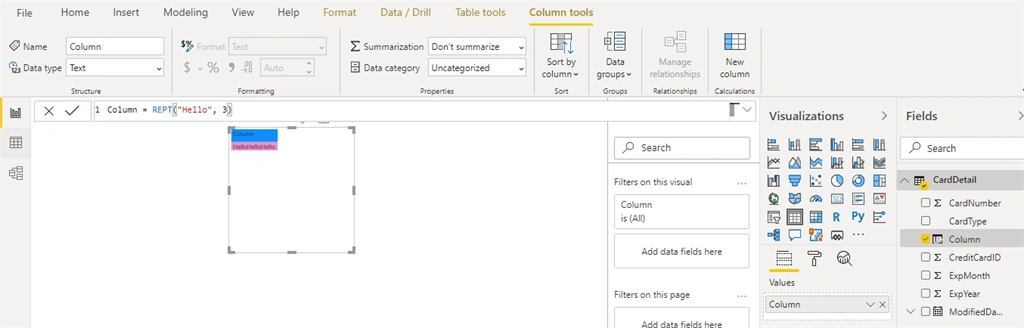
Repeats text a given number of times. Use REPT to fill a cell with a number of instances of a text string.
Syntax - REPT(Text, NumberOfTime)
Text - Text that you want to repeat.
NumberOfTime - A positive number specifying the instances of repetition.
Ex.
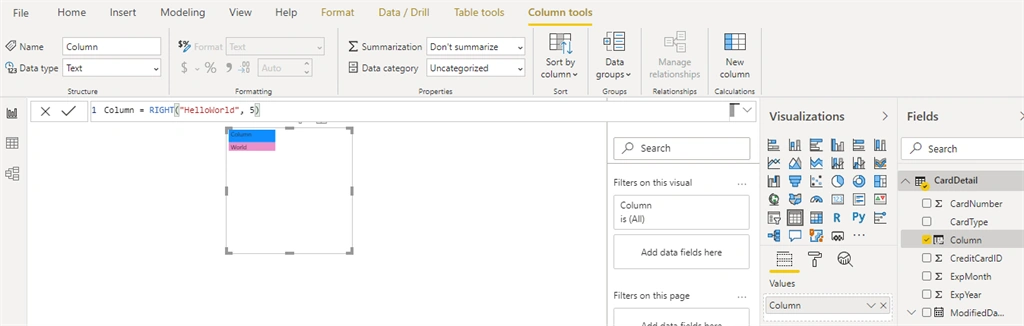
RIGHT
Returns the specified number of characters from the end of a text string.
Syntax- RIGHT(Text, [NumberOfCharacters])
Text-The text string that contains the characters you want to extract, or a reference to a column that contains text.
NumberOfCharacters - It is optional. The number of characters you want RIGHT to extract; is omitted, 1.
Ex.
TRIM
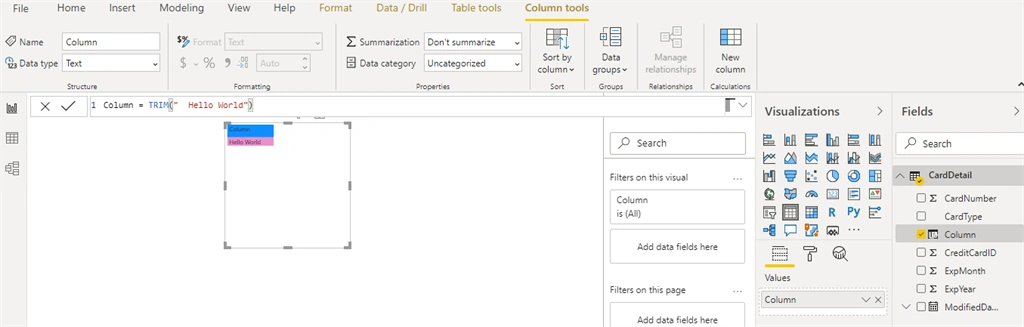
Removes all spaces from a text string except for single space between words.
Syntax - TRIM(Text)
Text - The text from which you want spaces removed, or a column that contains text.
Ex.
UPPER
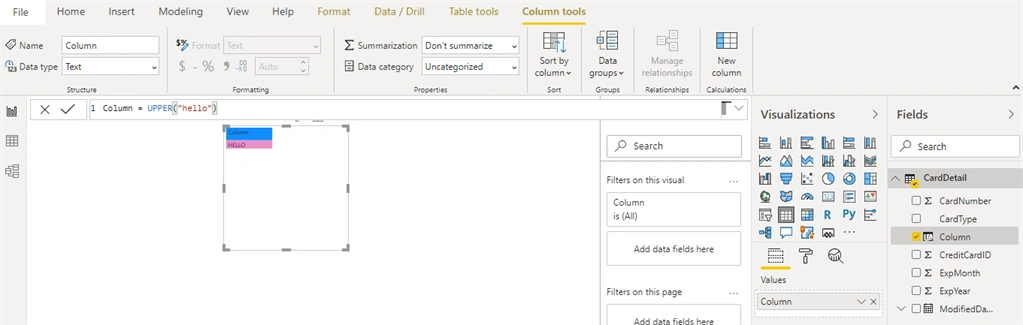
Converts a text string to all uppercase letters.
Syntax - UPPER(Text)
Text - The text or column that contains text that you want converted to uppercase.
Ex.
VALUE
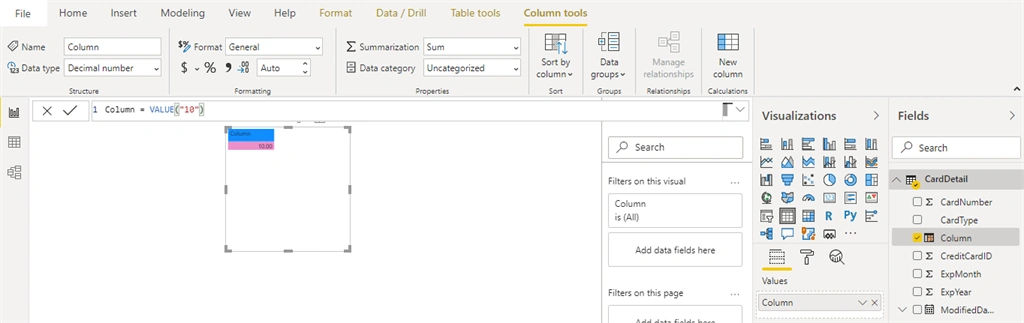
Converts a text string that represents a number to a number.
Syntax- VALUE(Text)
Text- The text to be converted.
Ex.
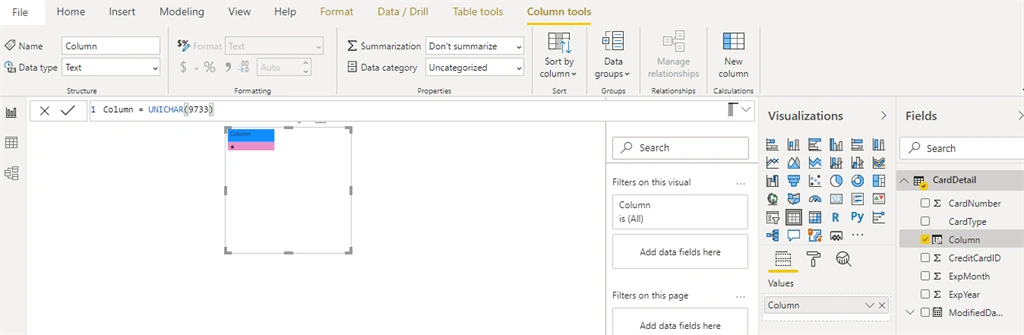
UNICHAR
Returns the Unicode character that is referenced by the given numeric value.
Syntax - UNICHAR (Number)
Number - The Unicode number that represents the character.
Ex.
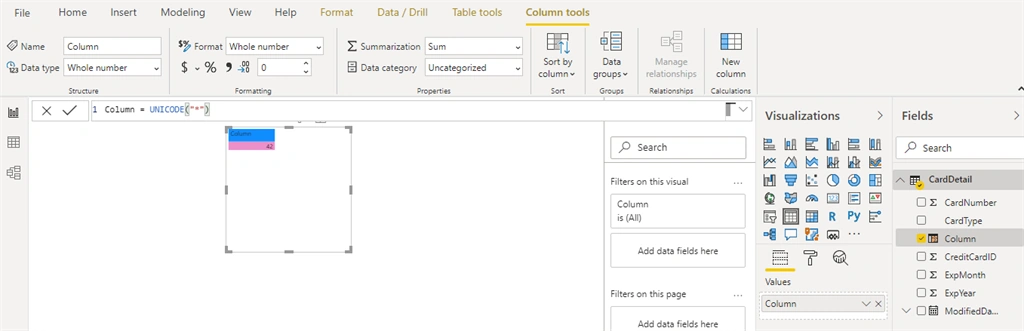
UNICODE
Returns the number (code point) corresponding to the first character of the text.
Syntax- UNICODE(Text)
Text - Text is the character for which you want the Unicode value.
Ex.
Summary
These are some String or Text DAX functions and their descriptions in Power BI. Hope you understand and it will help you. Thanks for reading.
Join the conversation! Your thoughts help the community grow.