

Here I am showing you how to use sharepoint default work flow named three state work flows.
A three-state workflow can be used to track documents in a SharePoint document library by using 3 different states.
I have document library with the following fields as shown in the image below
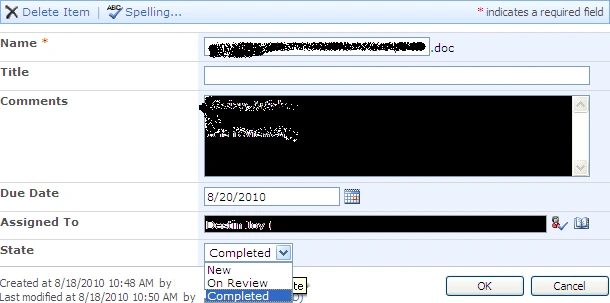
- Important field need for a three state
work flow is State field containing any three states.Here I have three
states named
- New
- On Review
- Completed
- Go to Document library settings-->then work
flow settings
- From the new screen select Three-State
Work flow
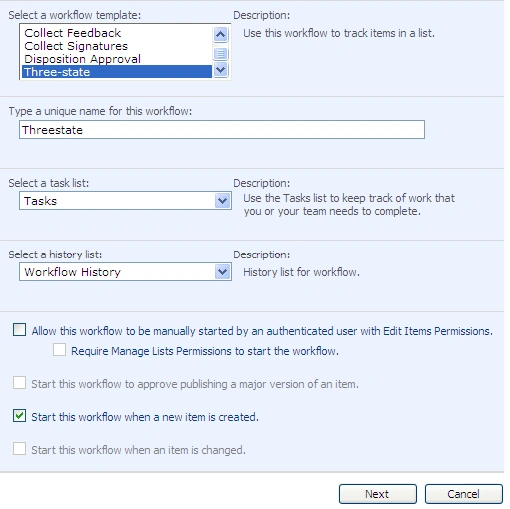
- Select start this work flow when a new
Item is created.
- Click Next
- By Default it will take the Choice column
you created
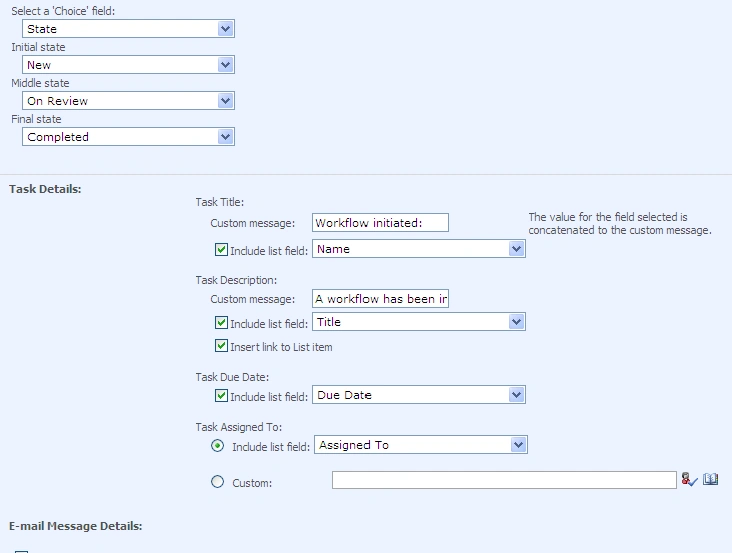
- You can write custom email messages as
shown below
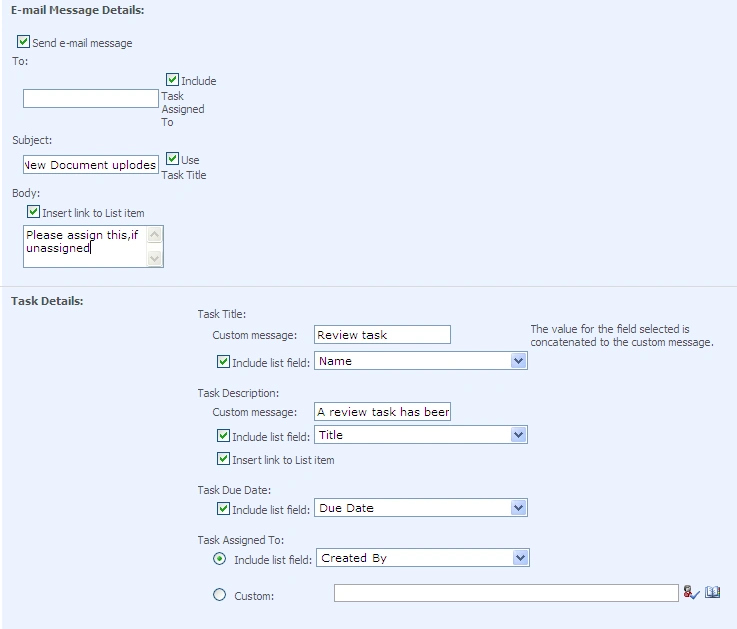
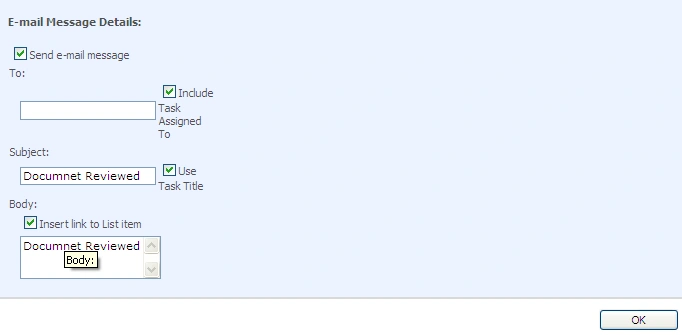
- Then click OK
- Your three state work flow is now
associated with the document library. It will send email as per your
configuration.
- It will automatically create a task list
and saves the activities for our reference

Join the conversation! Your thoughts help the community grow.