
In this article we learn How to sort string Using array. It is more important project related to array. In this we can also learn how to use array.
- Open Visual studio
- Create new website with language Vb.NET
- Now add text box and button on web form.
-
Now declare the array on Default.aspx.vb page.
{
string[] myArray = {
"Brijesh",
"Pooja",
"Manoj",
"Neha",
"Ankit"
};
-
Now write the following code on page load event
//Message Displayed on your WebForm
Label1.Text = "Unsorted Array List";
//Displays UnSorted list
foreach (string arrayStr in myArray)
{
TextBox1.Text += arrayStr + Constants.vbCrLf;
}
-
Now use the following code on button cliick.
//Method that Sort the List
Array.Sort(myArray);
//Sets the Text to Null
TextBox1.Text = string.Empty;
//Displays the Sorted list
Label1.Text = "Sorted Array List";
foreach (string arrayStr in myArray)
{
TextBox1.Text += arrayStr + Constants.vbCrLf;
}
<asp:Label ID="Label1" runat="server" Text="List of Unsorted name"></asp:Label>
<br />
<br />
<asp:TextBox ID="TextBox1" runat="server" Height="175px" TextMode="MultiLine"
Width="200px"></asp:TextBox>
<br />
<br />
<asp:Button ID="Button1" runat="server" onclick="Button1_Click"
Text="Sorted list" />
<br />
<br />
Now run this application and you get a sorted result.
End of this application.
Output of This Application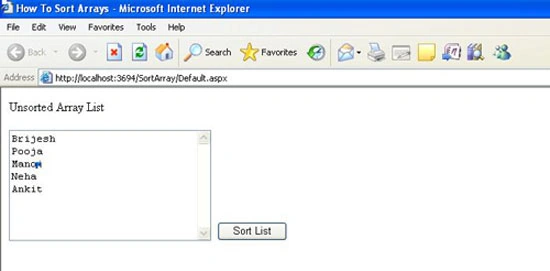
Press the Sort list Button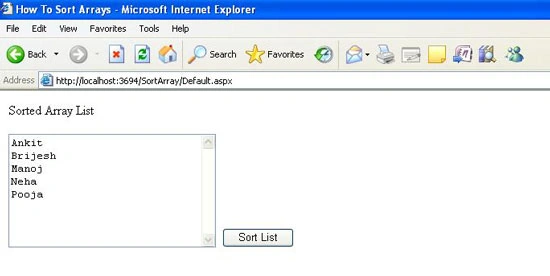
Pappu KumarPosted Mar 25, 2015, 1:45 AM
but in c#