

This article shows how to use a callback function in ASP.NET using jQuery. In this article, you will see in which situation we use callback functions. The examples below define both situations, with and without callback functions.
Callback Function
The callback function is used to stop the execution of the current effect of the animation in jQuery or a callback function is executed after the current effect has been completed.
Syntax
$(selector).hide(speed,callback);
Problem: Why we use a Callback Function ?
There are many languages (like C and C++) that start execution sequentially. We know that jQuery is based on JavaScript. So the code in jQuery will also execute sequentially. When we use animation in jQuery the execution order of code will be changed. In other words it will execute the next line of the code without waiting to complete the first line. If you want the callback function to be called after the animation has completed then you would have to hook the completion function of the animation and call the callback then.
Solution
To prevent this, you can create a callback function.
Example ( Without Callback Function)
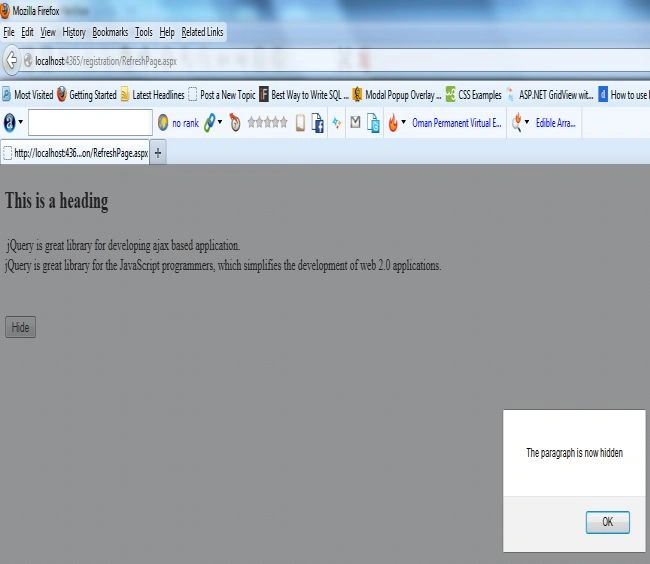
First of all you start Visual Studio .NET and make a new ASP.NET web site using Visual Studio 2010. The example below has no callback parameter, and the alert box will be displayed before the hiding is completed.
<%@ Page Language="C#" AutoEventWireup="true" CodeFile="RefreshPage.aspx.cs" Inherits="RefreshPage" %>
<!DOCTYPE html PUBLIC "-//W3C//DTD XHTML 1.0 Transitional//EN" "http://www.w3.org/TR/xhtml1/DTD/xhtml1-transitional.dtd">
<html xmlns="http://www.w3.org/1999/xhtml">
<head runat="server">
<title></title>
<script src="Registration/Scripts/jquery-1.4.1.min.js" type="text/javascript"></script>
<script type="text/javascript">
$(document).ready(function () {
$("button").click(function () {
$("#div1").hide(1000)
alert("The paragraph is now hidden");
});
});
</script>
</head>
<body>
<h2>
This is a heading</h2>
<div id="div1">
jQuery is great library for developing ajax based application.
<br>
jQuery is great library for the JavaScript programmers, which simplifies the development
of web 2.0 applications.<br />
<br />
<br />
</div>
<button>
Hide</button>
</body>
</html>
Output
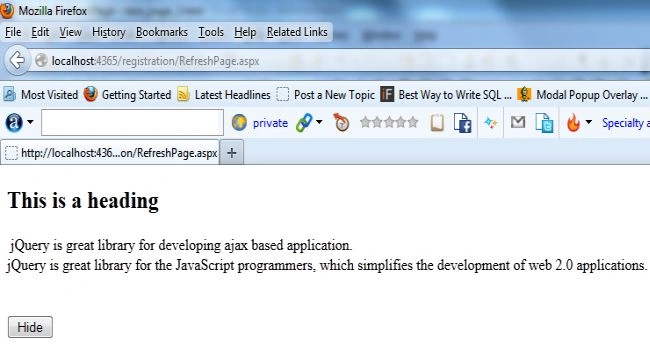
Now click on the Hide Button. It will display an alert message without hiding the paragraph.
Example (With Callback Function)
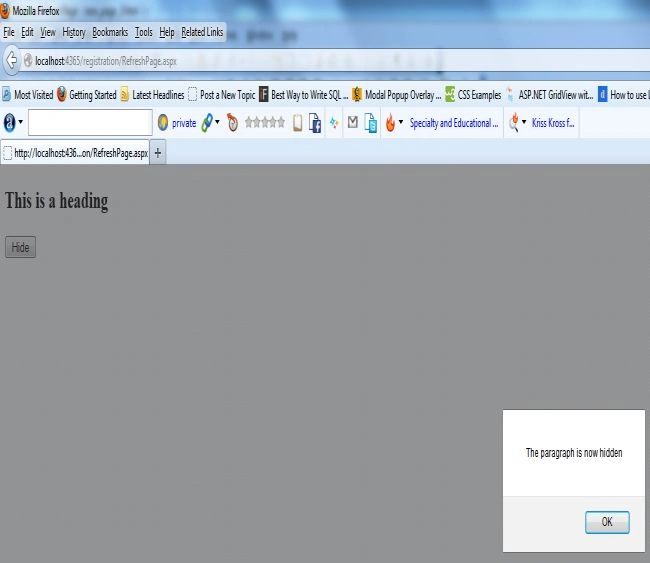
The example below has a callback parameter that is a function that will be executed after the hide effect is completed.
<%@ Page Language="C#" AutoEventWireup="true" CodeFile="RefreshPage.aspx.cs" Inherits="RefreshPage" %>
<!DOCTYPE html PUBLIC "-//W3C//DTD XHTML 1.0 Transitional//EN" "http://www.w3.org/TR/xhtml1/DTD/xhtml1-transitional.dtd">
<html xmlns="http://www.w3.org/1999/xhtml">
<head runat="server">
<title></title>
<script src="Registration/Scripts/jquery-1.4.1.min.js" type="text/javascript"></script>
<script type="text/javascript">
$(document).ready(function () {
$("button").click(function () {
$("#div1").hide("slow", function () {
alert("The paragraph is now hidden");
});
});
});
</script>
</head>
<body>
<h2>
This is a heading</h2>
<div id="div1">
jQuery is great library for developing ajax based application.
<br>
jQuery is great library for the JavaScript programmers, which simplifies the development
of web 2.0 applications.<br />
<br />
<br />
</div>
<button>
Hide</button>
</body>
</html>
Output
Now click on the Hide Button to see the effect of the Callback Function.
Hariom SharmaPosted Sep 7, 2014, 8:08 AM
Really good work
Rohatash KumarPosted May 13, 2013, 11:41 PM
Thanks anil. I have also updated it.
Anil KumarPosted May 13, 2013, 10:00 PM
Sequence execution means next statement will execute after the current one. If there is asynchronous type calling concept then it don't works like single lane way but multi-lane way. In JavaScript itself, if you call two functions in two statements one by one hoping that next function call will done after the completion of first function's statements will not work as you expecting. Though calling of function is still in order/sequence.Synchronous callback plays an important role. @Sam sir: Yes C and other languages also have callbacks. http://en.wikipedia.org/wiki/Callback_(computer_programming) @Sandeep: the statement should like 'jQuery is based on JavaScript'.
Sandeep Singh ShekhawatPosted May 13, 2013, 9:08 PM
Thanks for explain callback. you are saying that "JavaScript is based on jQuery". can you please explain this?
Sam HobbseditedPosted May 13, 2013, 8:19 PMEdited May 13, 2013, 8:25 PM
Thank you for explaining callbacks. Note however that it is misleading to imply that C and C++ do not have callbacks. Callbacks are a very fundamental requirement for Windows API programming. Before JavaScript and before Java and before Visual Basic, most Windows programming was done using C and I am nearly certain that Windows was originally developed using C. There is a Window Procedure (WindowProc) callback for every window in Windows, except I am not sure about Windows Store windows. Every Windows API program must have a Window Procedure callback for every window of the application. See: http://msdn.microsoft.com/en-us/library/windows/desktop/ms633573(v=vs.85).aspx