

Building Modern, HTML5 Based Business Apps on Windows Azure with Visual Studio LightSwitch.
Basics Of LightSwitch
LightSwitch | Introduction
- LightSwitch is nothing but a development environment in Visual Studio for building data-based business oriented applications and data services quickly and more comfortably.
- It is easy to get handled because what you need to write is only the code for the business logic.
- LightSwitch provides a roadmap for the application as its needs and user base logic.
LightSwitch | Features
- It provides a flexible deployment model
- You can publish it on Windows Azure or Office-365
- Supportive environment
LightSwitch | Functionalities
It provides generally these 3 major functionalities: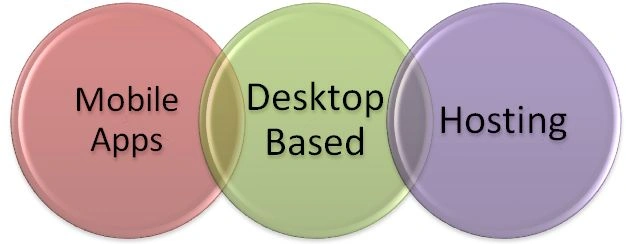
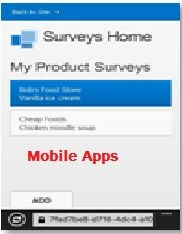
- Mobile Web Business Applications
- Optimized for touch
- Runs on platforms like iOS, Android, WP8, WinRT
- Default screen templates
- Multiple form factors
- No code experience with default temps
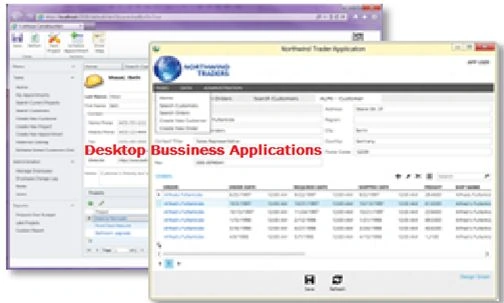
- Desktop Business Applications
- Optimized environment
- Suitable for heavy data entry
- Mouse & Keyboard scenarios
- Legacy app integration
- Default screen temps
- No-code experience with default temps
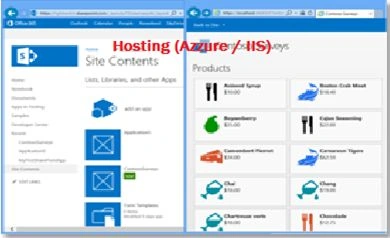
- Hosting
- Office-365 / SharePoint 2013
- Infrastructure for app access
- Organizational identity
- Lifecycle Management
- Provider hosting (Azure/ IIS)
- Flexible operational infrastructure options
- Leverage experiences
Visual Studio 2012 | LightSwitch Key Features
HTML Client
- Responsive design supports, framework design, architectural based design supports multiple from factors produces single page application, it is also known as SPAs.
- Streamlined screen creation and navigation
- Responsive command bars
- Popup and screens as dialogs for user interaction
- Semantic types
SharePoint 2013 Applications
- Connect to SharePoint 2013 lists as entities
- Access SharePoint assets through CSOM
- Auto hosted deployment
- SharePoint office-365
LightSwitch | Performance
The main performance issues of LightSwitch are: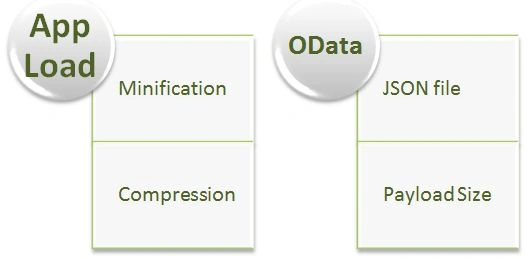
App Load
- Minification
- Static compression
OData
- Reduce payload size
- Managing JSON files
LightSwitch | Extended Features
- Localize app on multiple languages
- Globalization
- LINQ Queries
- Data Workspaces
- Server application context
Next Article: Visual Studio LightSwitch: Part 2
Abhishek JaiswalPosted Jul 8, 2015, 7:47 AM
Thanks!! :)
Vipul MalhotraPosted Jul 7, 2015, 11:22 AM
nice