

Microsoft Excel's versatility comes from its vast array of functions, and one of the latest additions to the function repertoire is the LET, VSTACK, and HSTACK functions. In this article, we'll explore a complex Excel formula that leverages the LET function to dynamically combine and summarize data from multiple tables. Let's get started.
In the screenshots below, we have sales2015, sales2016, sales2017, and sales2018 data formatted as Excel Table.
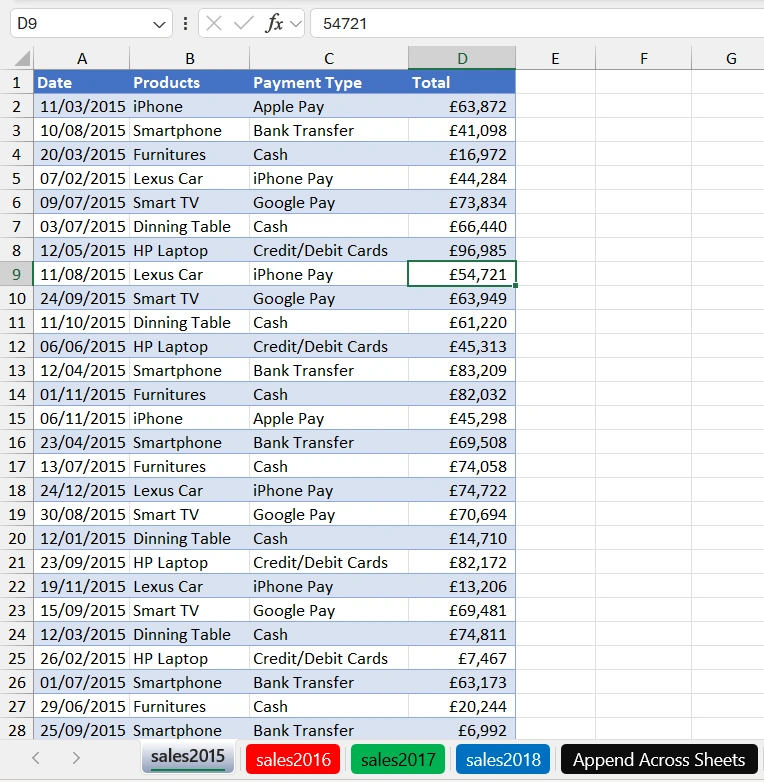
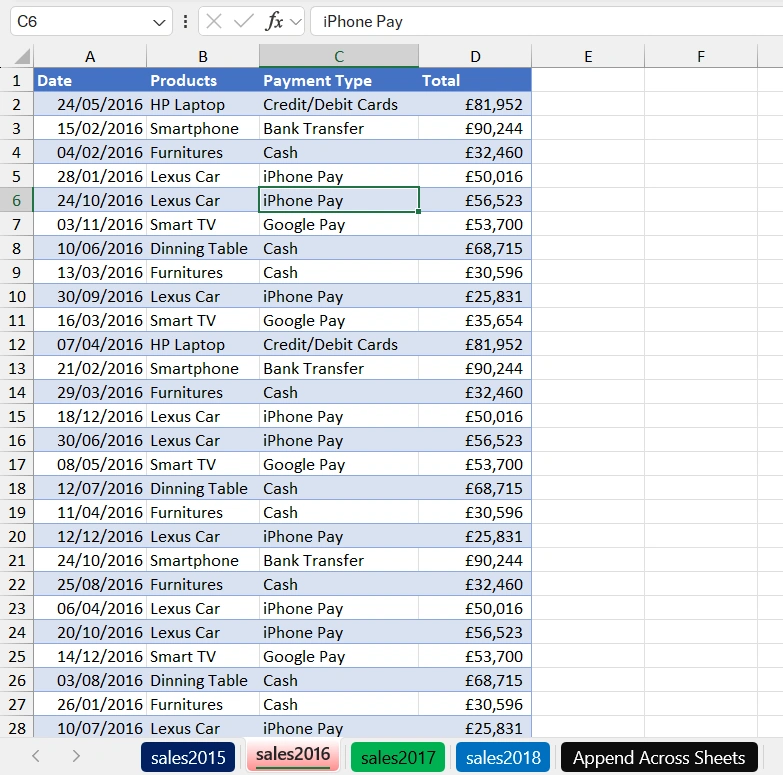
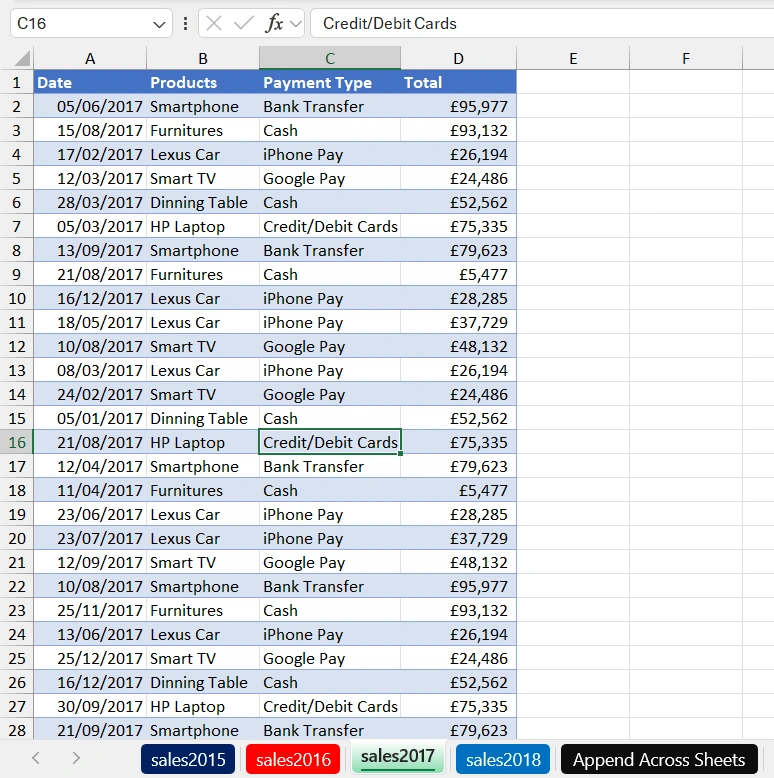
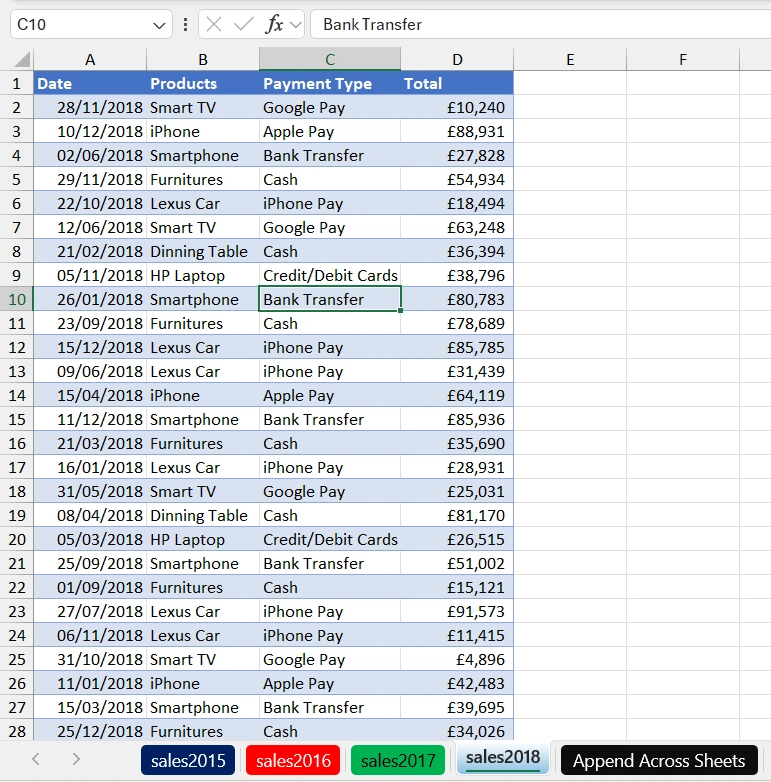
We want to use the LET function to define variables that we are going to use in the VSTACK and the HSTACK Functions to append the data, and at the same time, create a total row calculation in the Append Across Sheets worksheet. Therefore, in cell A1 of the Append Across Sheets, execute this formula.
=LET(
a,VSTACK(sales2015[#Headers],sales2015,sales2016),
b,HSTACK("Total","","",SUM(sales2015[Total],sales2016[Total],
sales2017[Total],sales2018[Total])),
calc,VSTACK(a,b),calc)
Click Enter.
Formula Explanation
- a,VSTACK(sales2015[#Headers],sales2015,sales2016) creates a vertical stack (VSTACK) of the headers of the sales2015 table along with the entire contents of the sales2015 and sales2016 tables. It assigns the result to the variable 'a'.
- b,HSTACK("Total","","",SUM(sales2015[Total],sales2016[Total],sales2017[Total],sales2018[Total])) creates a horizontal stack (HSTACK) that includes the text "Total" and three empty cells, followed by the sum of the 'Total' column from sales2015, sales2016, sales2017, and sales2018 tables. It assigns the result to the variable 'b'.
- calc,VSTACK(a,b) creates another vertical stack (VSTACK) by combining the contents of the 'a' variable (which includes sales2015 and sales2016) with the 'b' variable (which includes the total values). It assigns the result to the variable 'calc'.
- calc returns the 'calc' variable, which represents the combined data from sales2015, sales2016, and the total values.
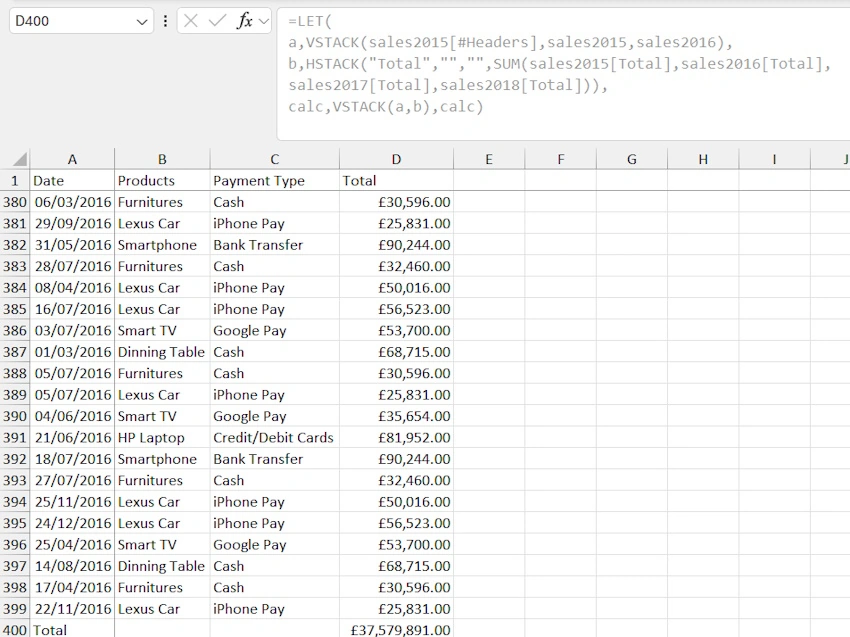
In the screenshot below, the sales2015, sales2016, sales2017, and sales2018 are appended, and we have the sum of the Total at the bottom with the values of £37,579,891.00
Join the conversation! Your thoughts help the community grow.