

Introduction
The industrial revolution has given birth to the Wireless communication over the decade and is globalizing each and every section of the world. This wireless communication created a stepping stone for IoT and Artificial Intelligence. In this article, we are going to see how to scan available mobile networks in a specified area using the MSP432 and CC3100 WiFi shield and display it in the Serial monitor of the Energia Software.
Requirements
- MSP 432 module
- CC3100 Wifi Shield
- Mobile For the hotspot
- Energia Software
Steps to Follow,
Open the Energia Software if already installed, else download it from the link below https://energia.nu
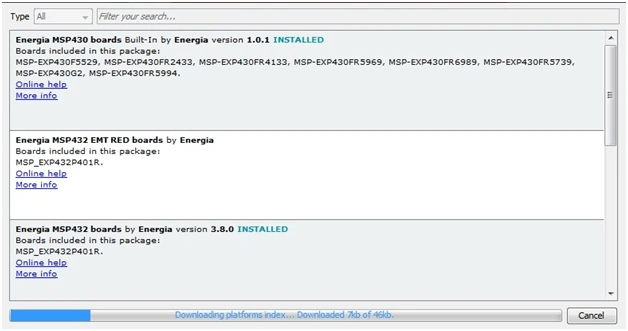
Go to Tools >> Board Manager and download the CC3100 wifi Package and MSP 432 Module package. Because the Energia may not have inbuilt packages for the WiFi programming.
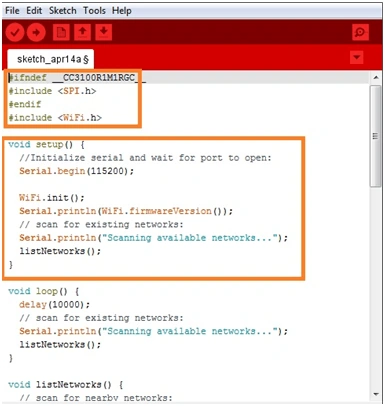
Initialise the Coding by using header files for the SPI interface and WiFi. This is to interact with the wifi and command it to collect the data of the Nearby Networks.
This code will List out mobile Networks available In the local Area.
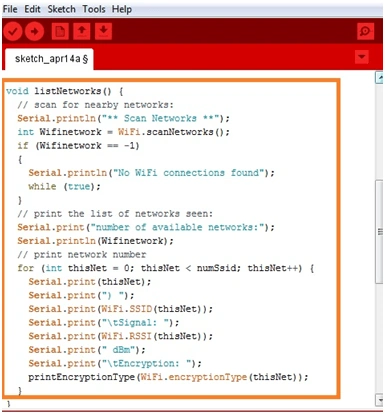
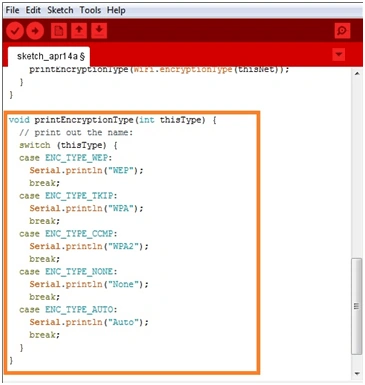
This will print the Encryption code for the mobile networks available.
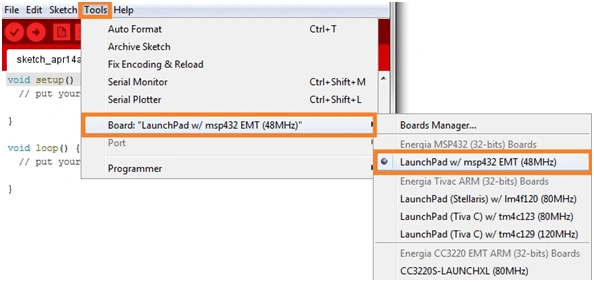
Select MSP 432 board and also select ports
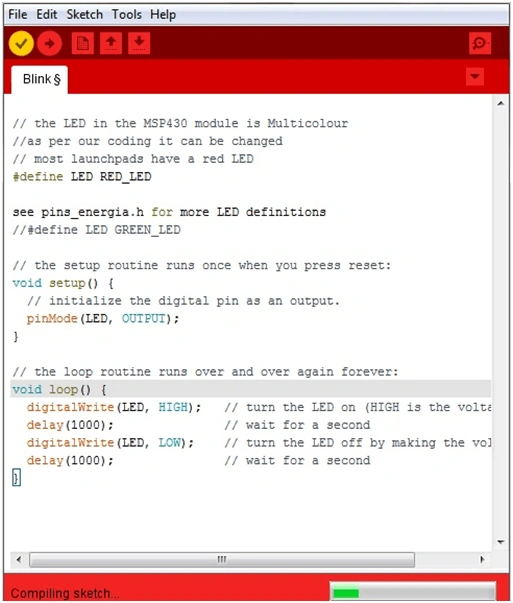
Open Serial Monitor and output are verified. This application can be further developed to connect with the networks available. Compile and upload the codings.
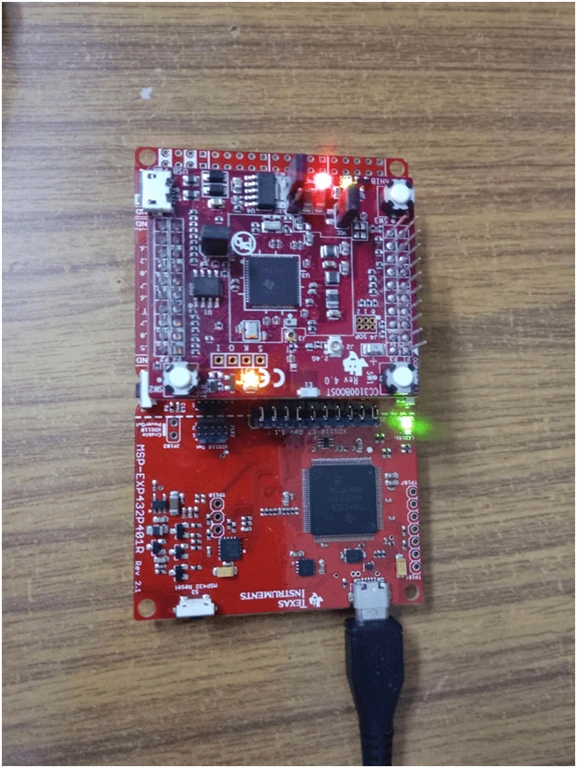
Open Serial Monitor and it will be displaying the output.
Summary
In this article, we learned how to work with the MSP432 module and WIFi shield to create a Network Scanning System which checks the available networks and print it in the Serial Monitor. this is a basic mobile application of the MSP432 module.
Ajay SankarPosted Sep 24, 2019, 10:00 AM
I am using MSP430 to know the status of temperature in industrial areas with low power Microcontroller .I tried to write the code using energia platform flame sensor using RTOS Environment and push the data to cloud (to observe the output in the displays) I am trying to upload the code with Arduino UNO but the code was not supporting as per Arduino Instruction set I bought the controller at http://bigbelectronics.in/product.php?product=m430g2452-mixed-signal-microcontroller you can check the specs
Hadshana KamalanathanPosted Jul 21, 2018, 10:00 AM
Thanks for sharing