

This article has been
excerpted from book "A Programmer's Guide to ADO.NET in C#".
A view is a virtual table that represents data from one or more than one
database table. You can select data from a single or multiple tables based on
the sort and filter criteria (using the WHERE and GROUP BY clauses) and save
data as a view. You can also set permissions on views. For example, a manager,
an accountant, and a clerk of a company share the same database. The accountant
can access partial data from multiple tables, and the clerk can access partial
data from a single table. You can create three different views based on these
user rights and let the user's access these views based in their rights.
Creating a View
Similar to stored procedures, you can create and manage views from the server
explorer. To create a view, you can expand a database, right-click on the Views
leaf, and select the New View option. This action launches the wizard, which
lets you pick tables. The Add button adds tables to the view designer (see
Figure 10-17).
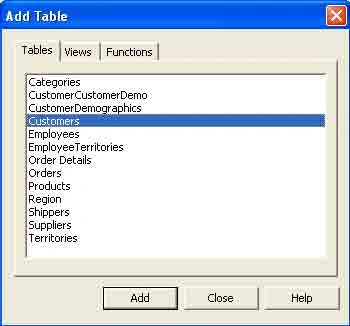
Figure 10-17: Adding tables to the view designer
I added three tables to the designer: Customers, Order, and Employees. I
selected only a few columns from each table (see Figure 10-18).
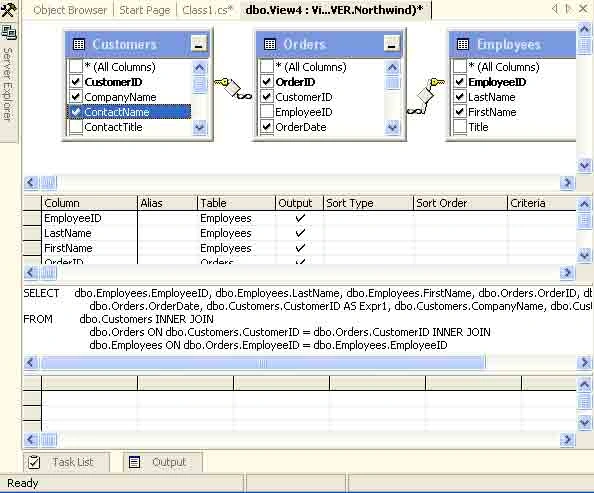
Figure 10-18: Creating a view after selecting columns from three tables
Now you can save a view by using the save buttons or menu or by right – clicking
on the view and selecting the save option (see Figure 10-19).
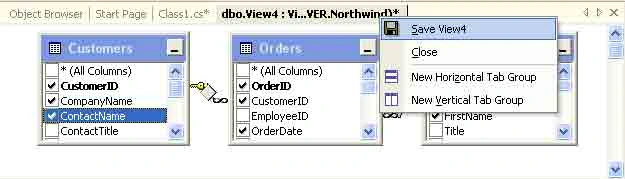
Figure 10-19: Saving a view
I called the view CustEmpView and clicked OK (see Figure10-20).
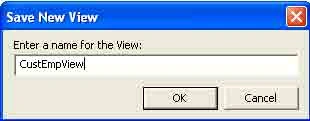
Figure 10-20: Click OK to save a view.
Now when you see the Server Explorer views, you'll see CustEmpView listed (see
Figure 10-21).
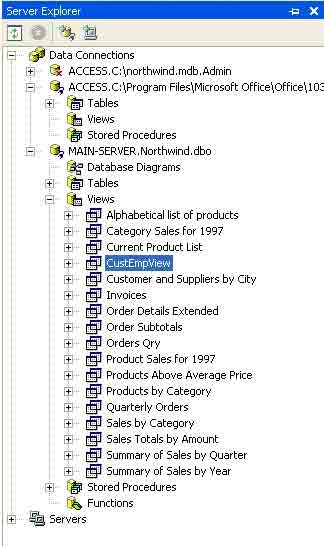
Figure 10-21: Available views in the Server Explorer
Executing Views from VS .NET
Now you can execute a view by right-clicking on one in the Server Explorer and
selecting the Retrieve Data from the View option. The output of the CustEmpView
looks like figure 10-22.
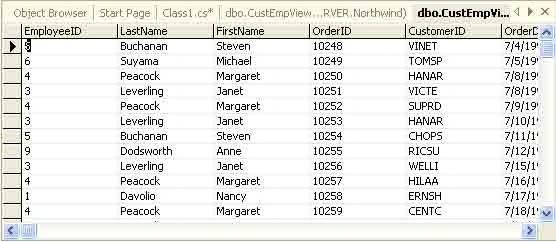
Figure 10-22: Results of the CustEmpView after executing it from the Server
Explorer
Retrieving data from a view programmatically
Similar to the stored procedures, the command object executes a view. You can
retrieve data from a view programmatically by replacing the view name as the
table name in a SQL statement. Listing 10-5 shows you how to use the CustEmpView
in an application. As you can see from the code, I've used the CustEmpView view
as table name in the SELECT statement:
SELECT * FROM CustEmpView
To test this code, create a Windows application in VS.NET, add a DataGrid
control to the form, and write the code in Listing 10-5 on the Form_Load event.
Also don't forget to add a reference to the System.Data.SqlClient namespace in
the project.
Listing 10-5: Executing a view programmatically
private
void Form1_Load(object
sender, System.EventArgs e)
{
// Create a connection object
string ConnectionString =
"Integrated Security=SSPI;" +
"Initial Catalog=Northwind;" +
"Data Source=localhost;";
SqlConnection conn =
new SqlConnection(ConnectionString);
SqlDataAdapter adapter =
new SqlDataAdapter("SELECT
* FROM CustEmpView", conn);
DataSet ds =
new DataSet("CustEmpView");
adapter.Fill(ds, "CustEmpView");
dataGrid1.DataSource = ds.DefaultViewManager;
}
The output of Listing 10-5 looks like figure 10-23.
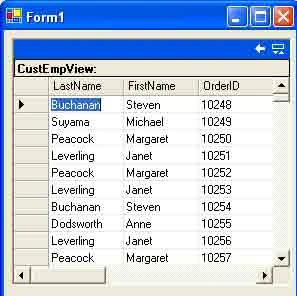
Figure 10-23: The output the CustEmpView view from a program
Conclusion
Hope this article would have helped you in understanding working with Views.
See other articles on
the website also for further reference.
 |
This essential guide to Microsoft's ADO.NET overviews C#, then leads you toward deeper understanding of ADO.NET. |
Join the conversation! Your thoughts help the community grow.