

Introduction:
In this article, I am going demo various ways we can set property values in XAML
using Silverlight. XAML provides several different ways to set property values:
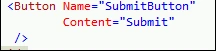
- Simple Properties
- Type Converters
- Complex Properties
- Markup Extensions
- Attached Properties
We will see all above properties in detail.
1. Simple Properties: These are properties that provide values as simple
strings. For example Content and Name property of button control.
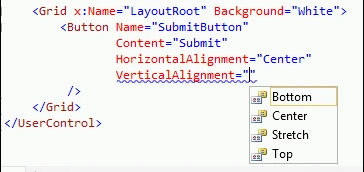
2. Type Converters: These properties that Markup supplies as strings. For
example
- Height and Width property of button. Internally it is converted to integer.
- HorizontalAlignment and VerticalAlignment property of a button. Internally it
is converted from string to number that corresponds to enumerated value Bottom,
Top, Center, and Stretch.
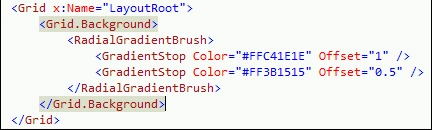
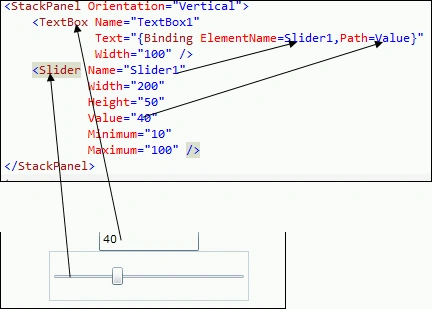
4. Markup Extensions: These are the properties whose values are set dynamically at runtime. The property can be set declaratively.
- Property = {Binding ElementName=ObjectName, Path=PropertyName}
The type that defines the attached property typically follows one of these models:
- The type that defines the attached property is designed so that it can be the parent element of the elements that will set values for the attached property. The type then iterates its child objects through internal logic against some object tree structure, obtains the values, and acts on those values in some manner.
- The type that defines the attached property represents a service. Other types
set values for the attached property. Then, when the element that set the
property is evaluated in the context of the service, the attached property
values are obtained through internal logic of the service class.
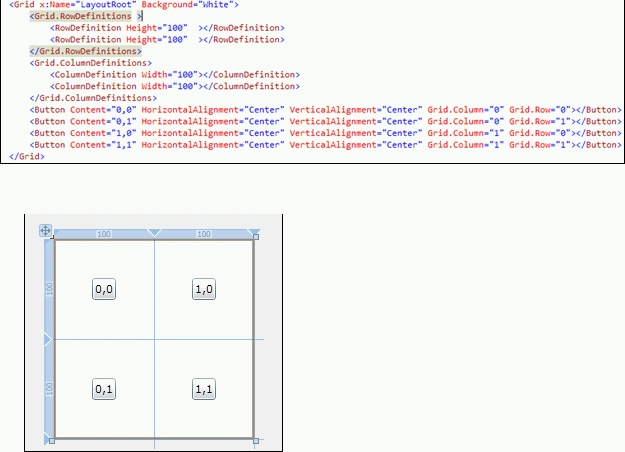
Here in following example Grid is of 2 rows and 2 columns and button is placed in each cell.
Join the conversation! Your thoughts help the community grow.