

Introduction
In this article, we will understand Objects in Javascript. Before we start, Let's understand the objective of this demonstration, which tells what exactly will be covered in this article.
- object.keys()
- object.values()
- object.entries()
- object.create()
- object.assign()
- object.seal()
So, Let's get started,
Objects in JavaScript
An object is a standalone entity with properties and types.
Syntax
const object = {
  property1:value1,
  property2:value2.....
  propertyN:valueN
};
Example
const person = {
	name: 'vishal',
	age: 32,
	gender: 'male',
};
object.keys()
A simple way to iterate over an object and return all of the object's keys.
Syntax
Object.keys(object);Example
const employee = {name: "Vishal", age: 32, designation: "Architect", level: 5};

console.log(Object.keys(employee));

// Result:
// [object array] (4)
// ["name", "age", "designation", "level"]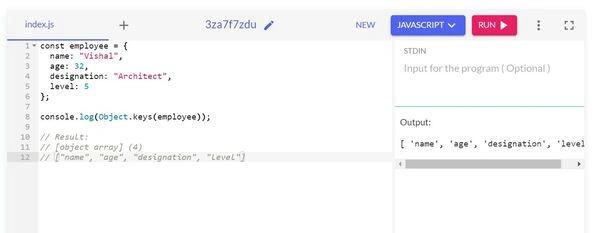
object.values()
Iterates over the object and returns the object's values!
Syntax
Object.values(object);Example
const employee = {name: "Vishal", age: 32, designation: "Architect", level: 5};

console.log(Object.values(employee));

// Result:
// [object array] (4)
// ["Vishal", "32", "Architect", "5"]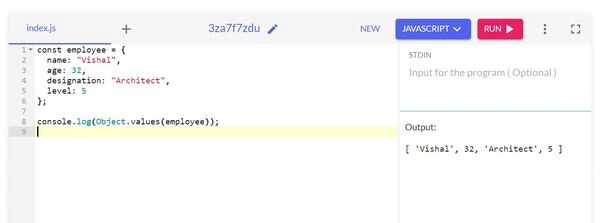
object.entries()
Takes an object and returns its own enumerable string-keyed property[key, value] pairs of the object.
Syntax
Object.entries(object);Example
const employee = {name: "Vishal", age: 32, designation: "Architect", level: 5};

console.log(Object.entries(employee));

// Result:
['name', 'Vishal']
['age', 32]
['designation','Architect']
['level','5']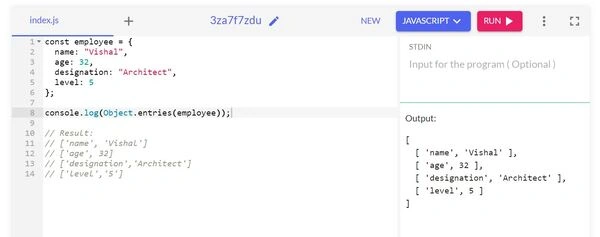
object.create()
Create a new object using an existing object as the prototype of the newly created object.
Syntax
Object.create(prototype_object, propertiesObject)Example
const employee = {
  name: "Vishal",
  display: function() {
    console.log('Name: ' + this.name);
 }
}

let newEmployee = Object.create(employee);
newEmployee.name = 'Kunal';

// log both objects

newEmployee.display(); // display new name

employee.display(); // dispal old name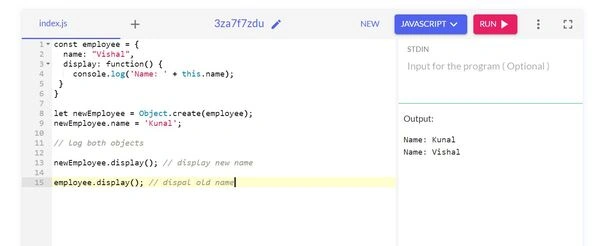
object.assign()
Copies all enumerable and own properties from the source object to the target object. It returns the target object. It is also called shallow copy.
Syntax
Object.assign(target, ...sources);Example
const person = {
	name: 'vishal',
	age: 32,
	gender: 'male',
};

const job = {
	designation: 'developer',
	salary: 1000,
};

Object.assign(person, job);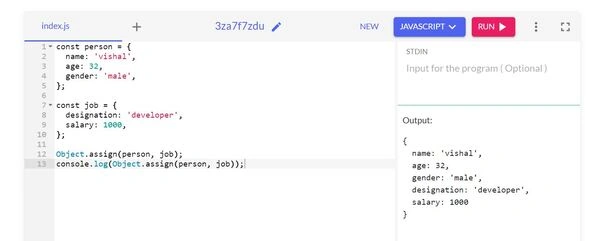
object.seal()
Seal an object which prevents new properties from being added to it and marks all existing properties as nonconfigurable.
Syntax
Object.seal(object)Example
const car = {
 price: 15000
};

Object.seal(car);
car.price = 18000; // value changed

console.log(car.price);

// Result : 18000

delete car.price;
console.log(car.price); // can't delete when sealed.

// Result: 18000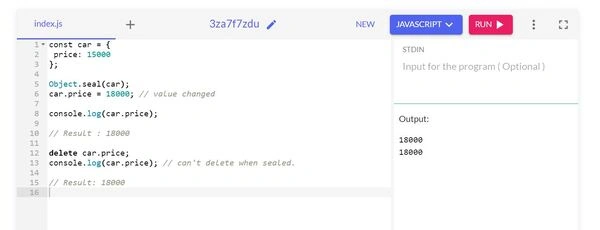
Summary
In this article, I have tried to cover how to use Objects in JavaScript, which are mostly used in our development.
Reference
Jaydeep PatilPosted Jun 3, 2023, 10:57 AM
Useful content