

Introduction
To build high-trafficked scalable web applications, it is recommended not to stuck your email code in the application code. Instead, we can use SQL Server to send all messages and emails. In this article, we will see how to configure your SQL Server 2008 to send emails.
Step 1 :
First of all you need to start SQL Server Management Studio.
And right click on Database Mail and click Configure Database Mail.
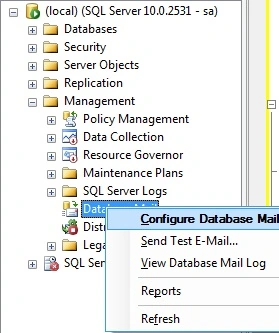
Next step setup database mail.
Step 2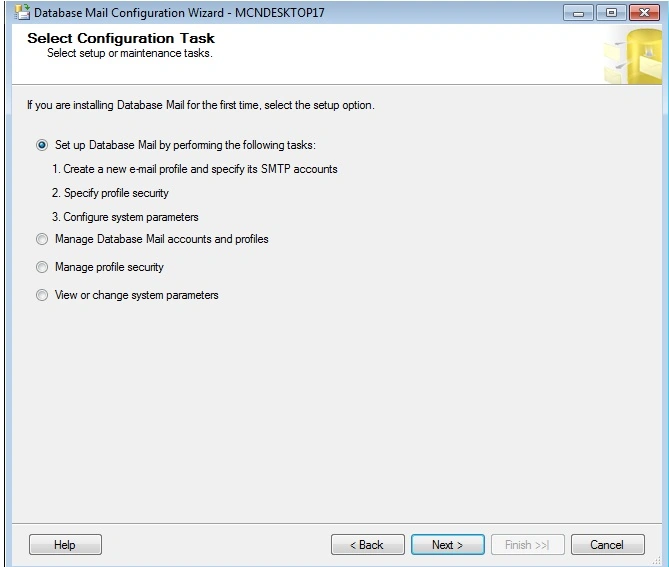
Now you have to add profile name and profile description and click Add
Step 3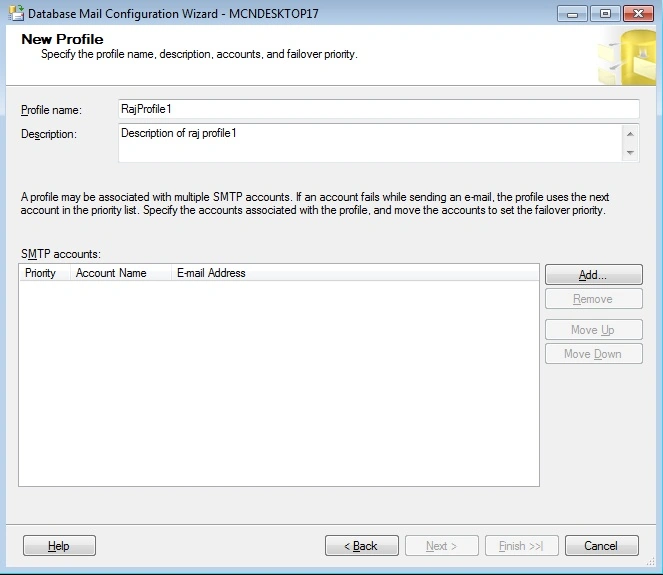
Now you have to enter account details and click OK.
Step 4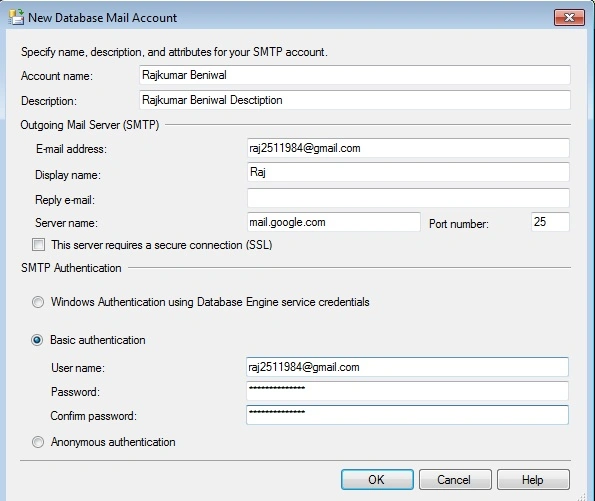
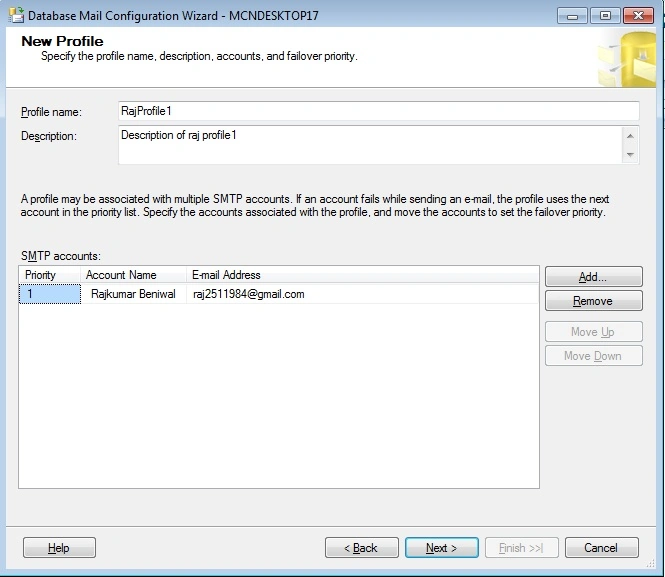
Click Next 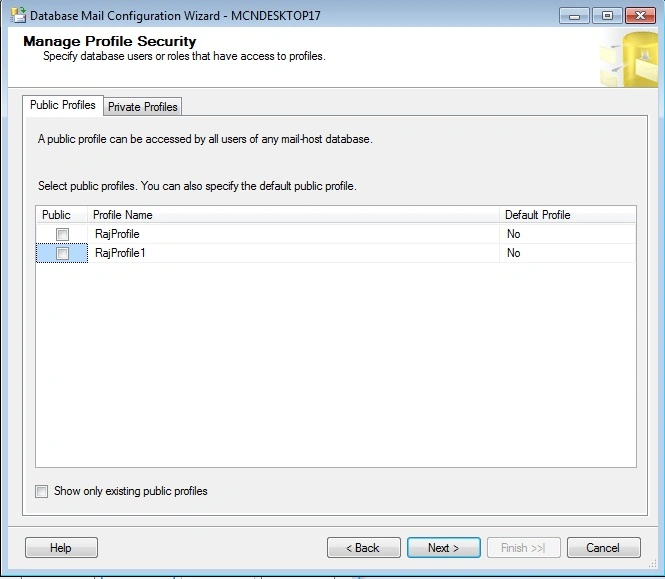
Click Next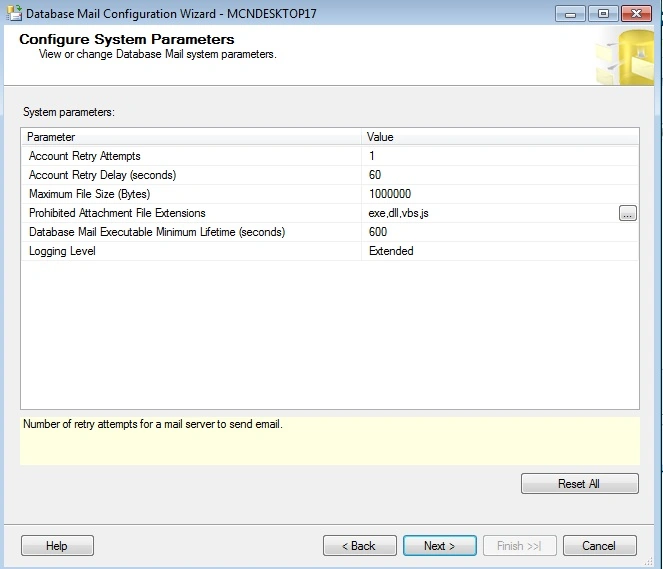
Click Next and Finish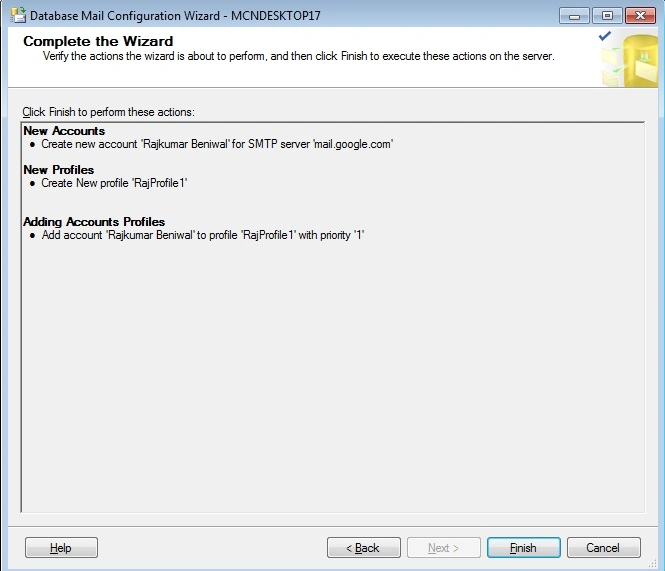
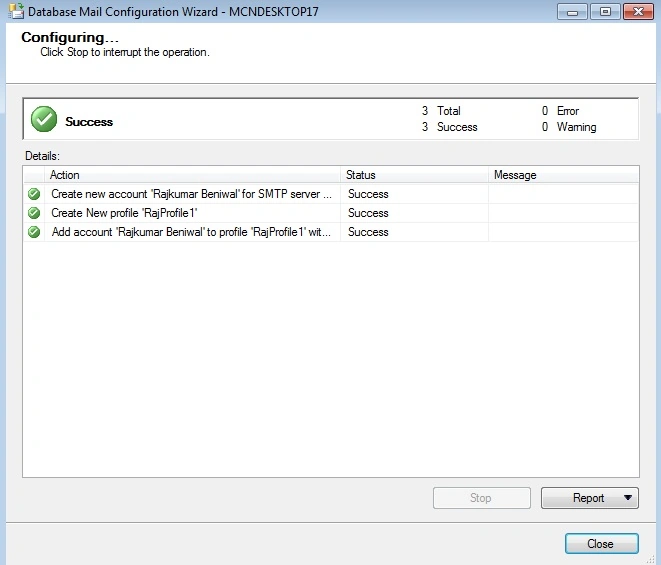
Now profile and account has been created well now time to configure database
mail. To configure database mail first we have to enable database mail XPs
parameter using sp_configure stored procedure.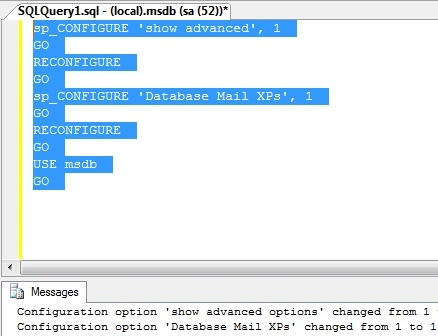
Now time to send mail.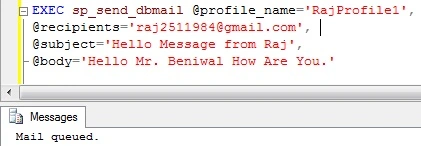
To track the mail status and log status execute
this query.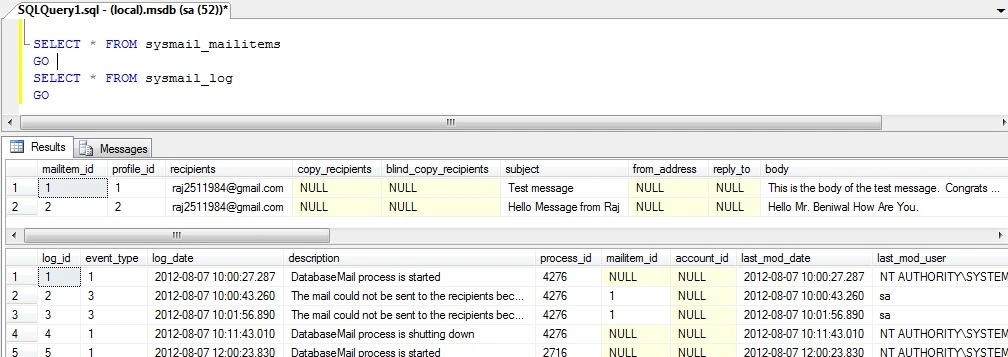
Omid NasriPosted Mar 22, 2016, 2:26 AM
thx
LEKI MarkusPosted Dec 13, 2014, 8:08 AM
thanks you!
Proganesh JaiPosted Jan 20, 2014, 2:55 AM
thanks to all
Proganesh JaiPosted Jan 20, 2014, 2:55 AM
super
Suman KumarPosted Sep 16, 2013, 8:36 AM
How To configure it using Visual Studio.
Suman KumarPosted Sep 16, 2013, 8:35 AM
I Want Configure It programatically.
sarfaraj mdPosted Mar 9, 2013, 2:23 AM
nice............
kiquenet kiquenetPosted Dec 12, 2012, 5:10 PM
Great!! Any sample send attachment using DatabaseMail and C# .NET ? Maybe using SMTP Dev for testing http://smtp4dev.codeplex.com/
Amit PatelPosted Sep 17, 2012, 3:42 AM
Good One Raj.
Devinder KumarPosted Aug 14, 2012, 3:18 AM
very intresting or usable thing
sonu singhPosted Aug 9, 2012, 6:30 AM
really a usable thing......